
Send with ENS: Making Crypto Transfers Simpler
ENS (Ethereum Name Service) is a decentralized domain name system built on the Ethereum blockchain. It works similarly to the internet’s DNS (Domain Name System): it turns long, hard-to-read wallet addresses into human-readable names.
A typical wallet address usually looks like this:
0xabcd………1234
With ENS, using Fluidkey as an example, you can map an address to a shorter and easier-to-remember name, such as:
username.fkey.id
or
username.fkey.eth
ENS domains are stored on the Ethereum blockchain and do not rely on any centralized institution. No one can unilaterally change or revoke your domain ownership. When a wallet that supports ENS looks up a domain, the system automatically resolves it to the corresponding receiving address, so you do not need to manually copy and paste the full 0x address.
Important Notes About ENS Transfers
ENS transfers require both wallets to support ENS resolution. Wallets that currently support ENS include Fluidkey, MetaMask, Rainbow, and others.
If the recipient’s wallet does not support ENS, you will not be able to initiate a transfer by entering an ENS domain directly. In that case, you will still need to ask the recipient for their full 0x wallet address.
In other words, the convenience of ENS depends on whether both the sender’s and recipient’s wallets support this feature.
Chains Supported by Fluidkey
When sending funds through Fluidkey using ENS, the following seven native chains are currently supported:
-
Ethereum (ETH)
-
Arbitrum (ARB)
-
Optimism (OP)
-
Base
-
Polygon
-
Gnosis
-
BNB Smart Chain (BSC)
Please make sure your transfer is made on one of the supported chains above. Otherwise, the funds may not arrive correctly.
How to Send with ENS: Step-by-Step Guide
Step 1: Set Your Username
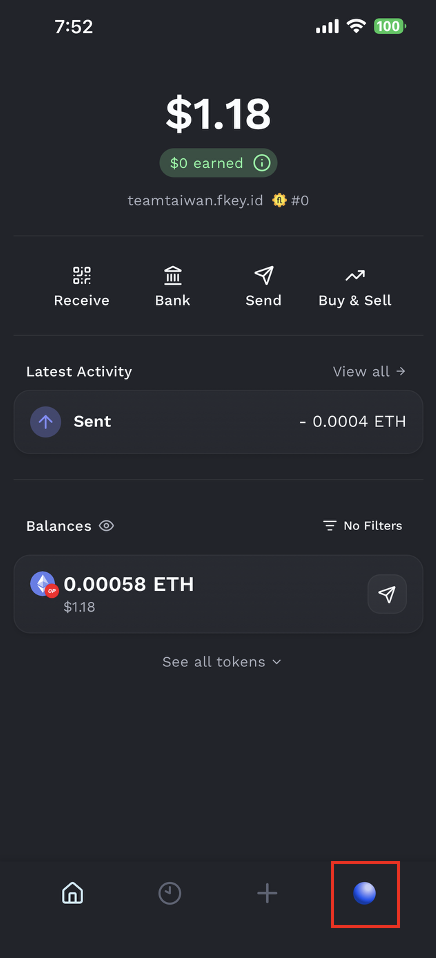
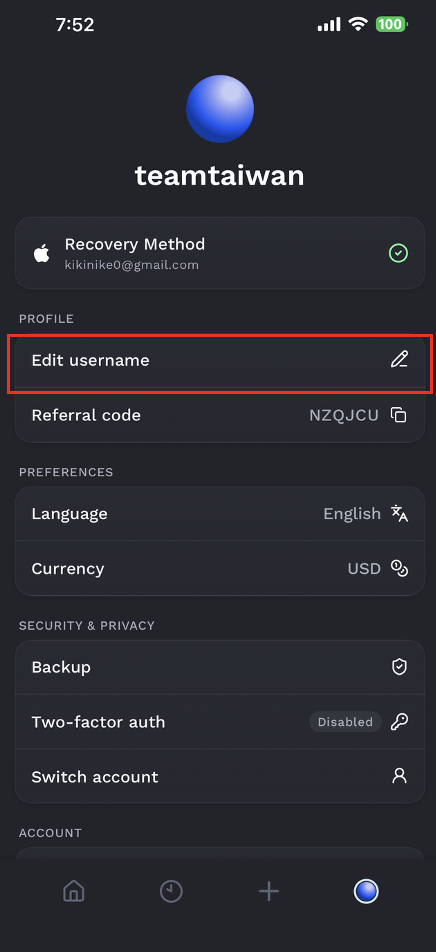
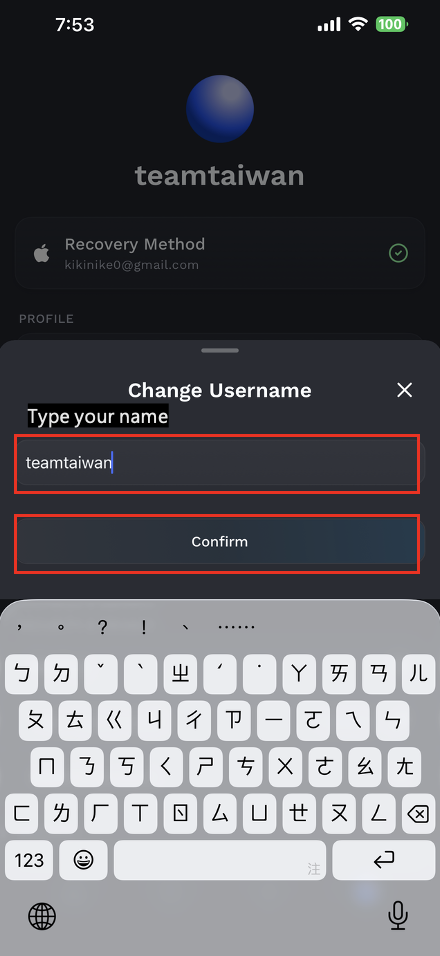
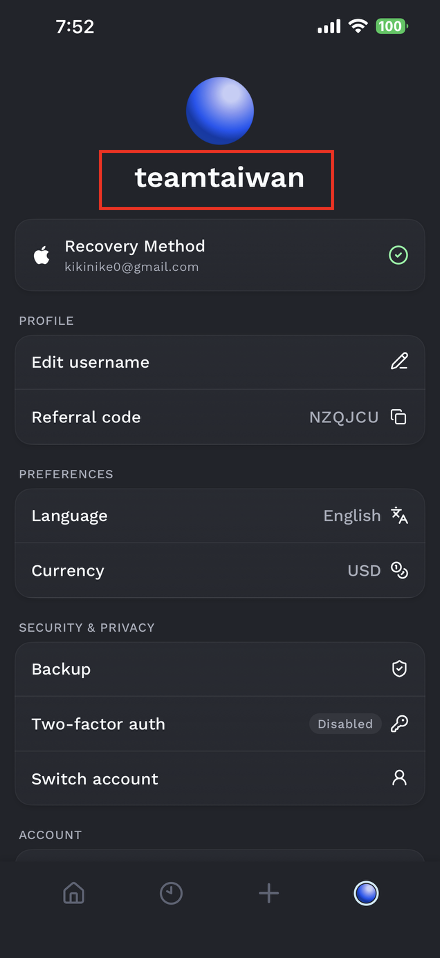
Tap the icon in the bottom-right corner to enter your profile page. Select “Edit username,” enter the username you want to use, and save it.
Once the username is set, your ENS address will become active automatically.
Step 2: Confirm Your ENS Address
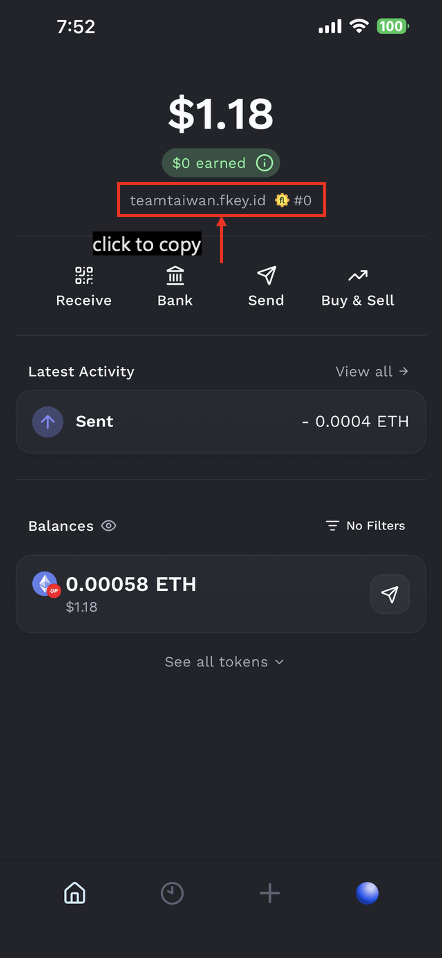
Go back to the home page to view your ENS address. The format will be:
username.fkey.id
You can tap the address to copy it directly and share it with the sender.
Step 3: Select the Token You Want to Send
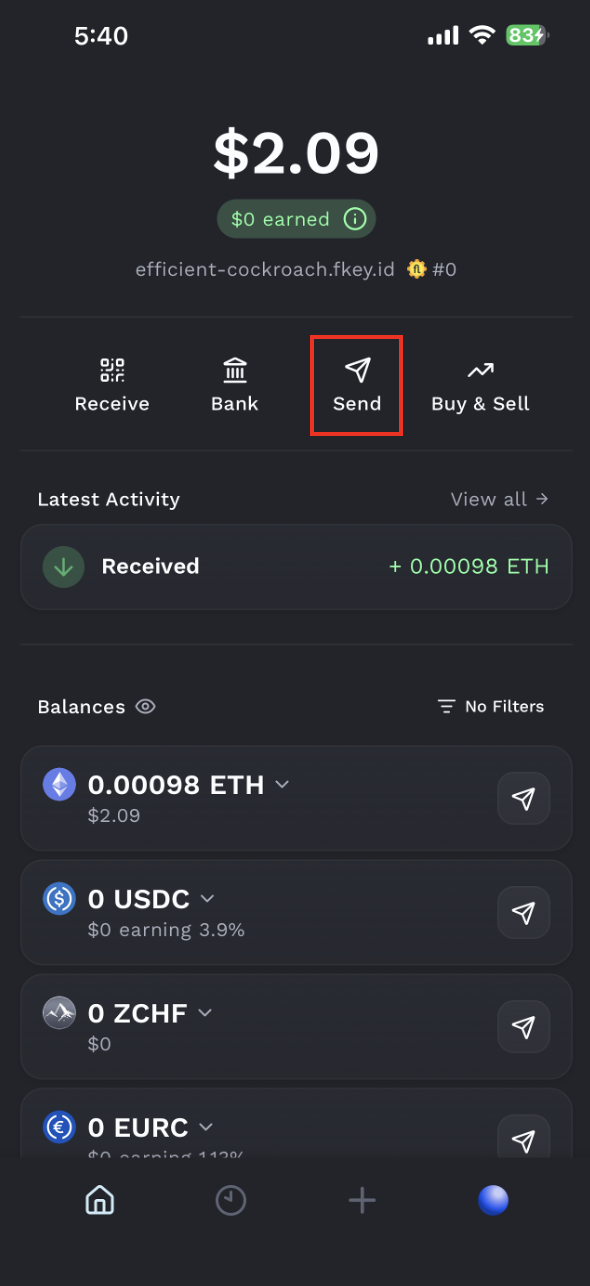
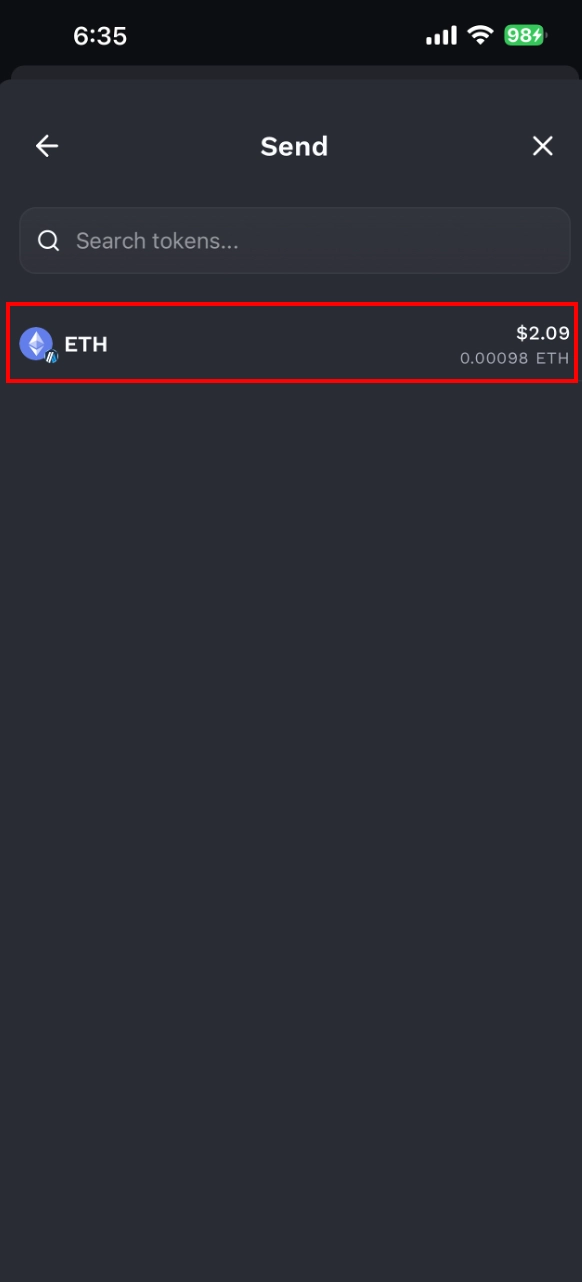
Open the Fluidkey home page and tap “Send.” Then, select the token you want to send.
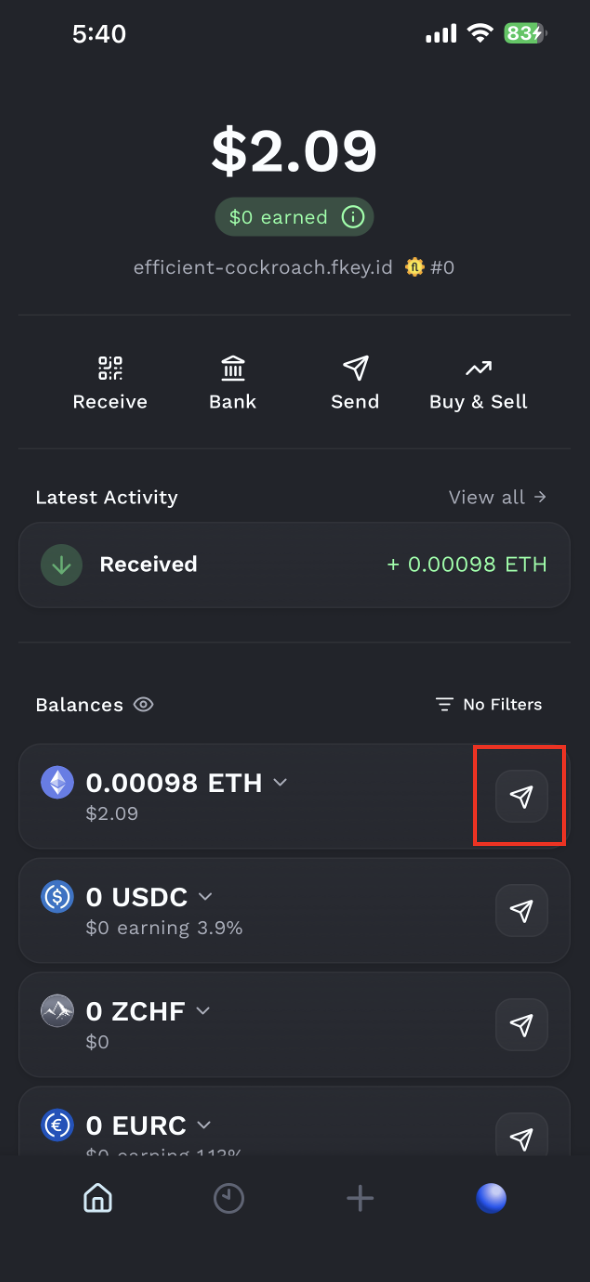
You can also tap the arrow next to a token balance to start a transfer directly from that token.
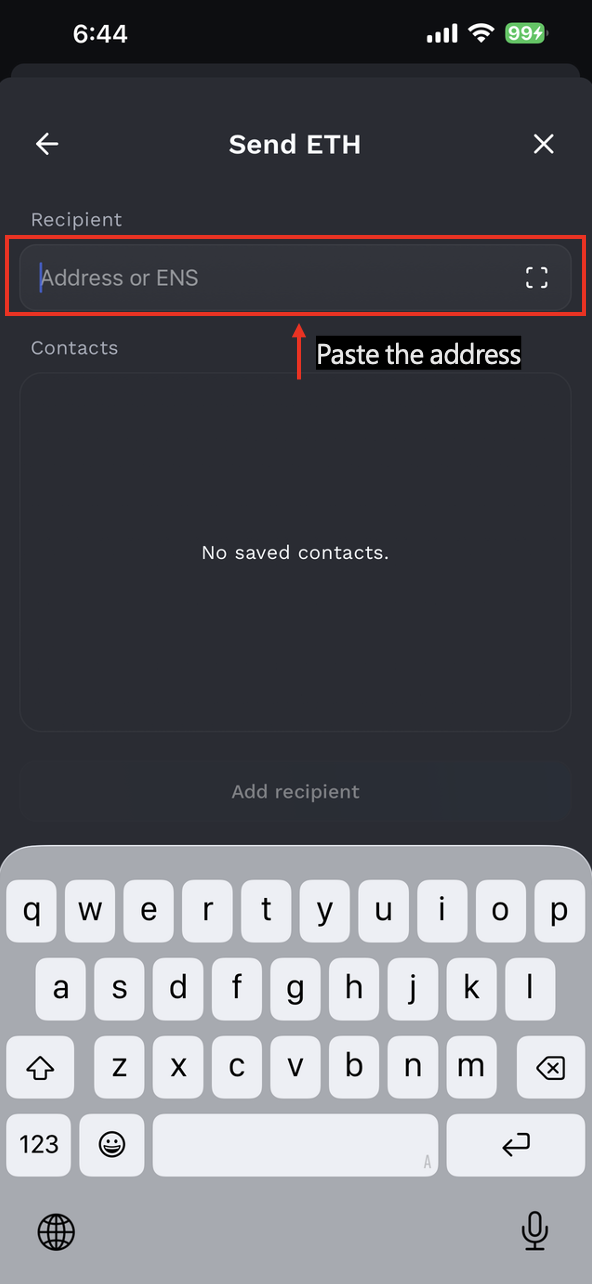
Step 4: Enter the Recipient’s ENS Address
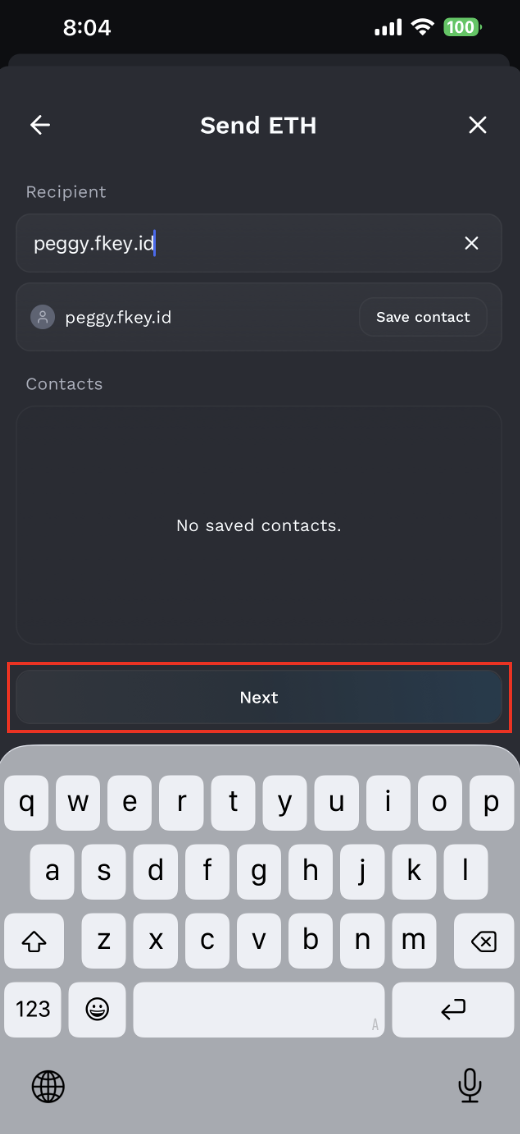
In the receiving address field, enter the recipient’s ENS domain.
If the recipient is also a Fluidkey user, you only need to know their username to identify their ENS address.
For example, if your friend’s username is peggy, their ENS address will be:
peggy.fkey.id
Step 5: Enter the Transfer Amount
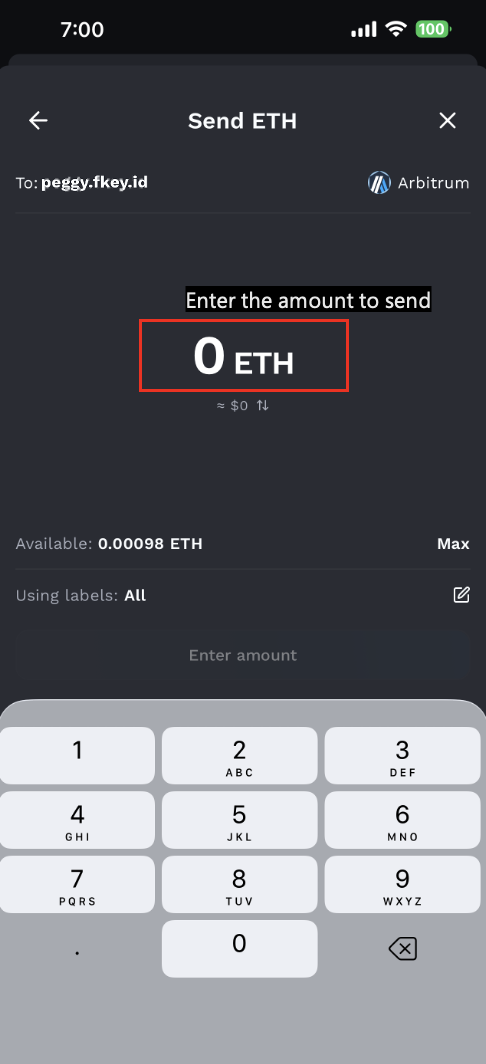
Enter the amount you want to send. Fluidkey will automatically calculate the best transfer route and send funds from one or more private accounts with balances closest to the target amount.
If needed, Fluidkey may also help process token swaps or cross-chain routing.
Before submitting the transaction, make sure to carefully review the following information:-
Receiving address
-
Token being sent
-
Transfer network
-
Transfer amount
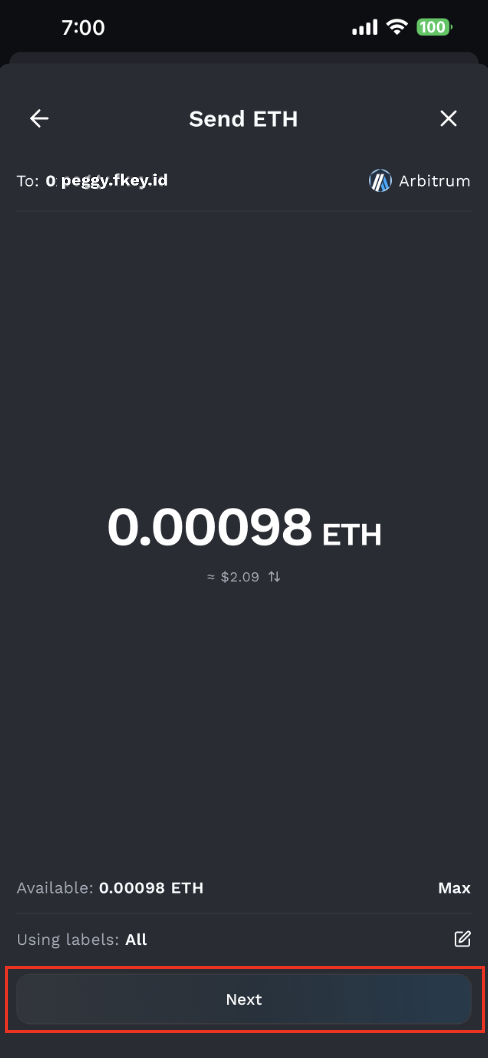
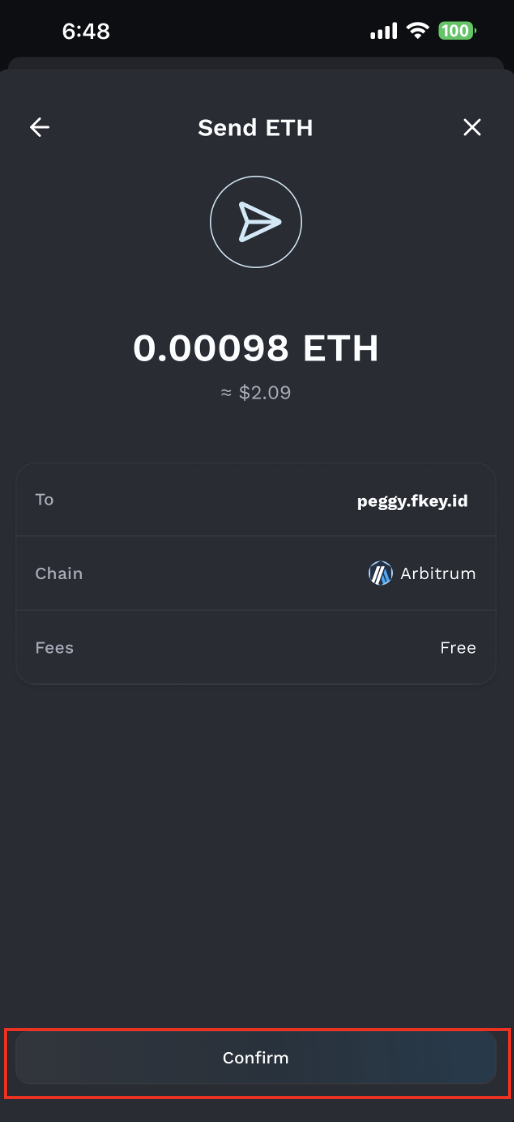
⚠️ Once an on-chain transaction is submitted, it usually cannot be canceled or recovered. If this is your first time sending funds to a specific address, we recommend sending a small test amount first. After confirming that it arrives successfully, you can proceed with a larger transfer.
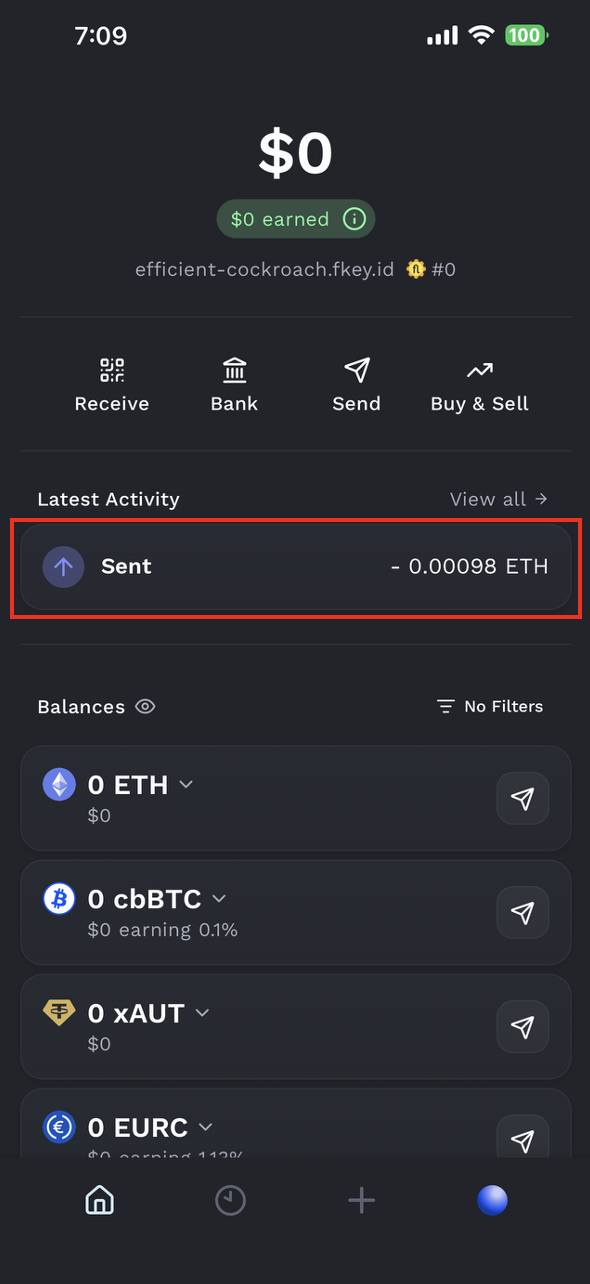
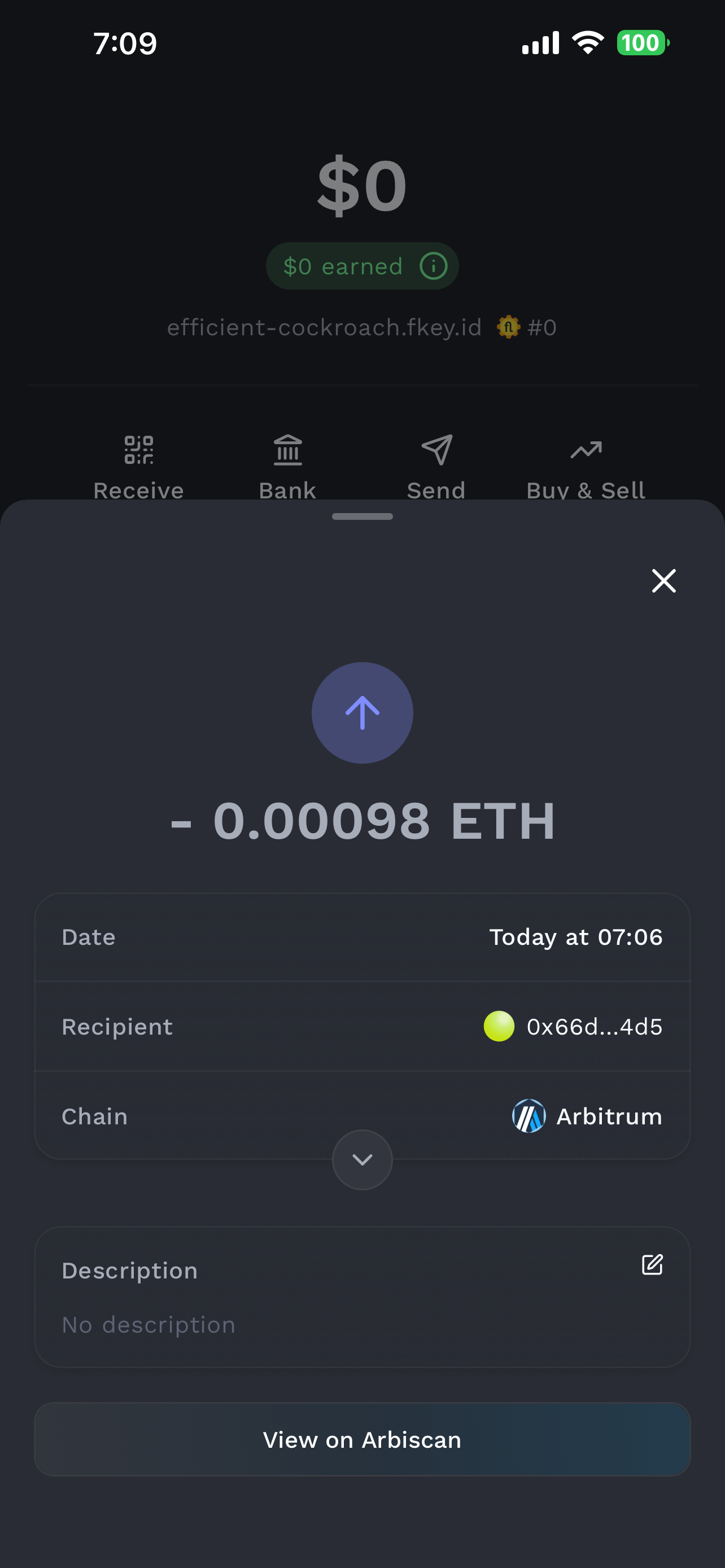
Step 6: Confirm the Gas Fee and Transaction Status
Each Fluidkey user receives 20 free gas fee transactions per day on supported chains other than the Ethereum mainnet.
Relevant fee information will be displayed before the transaction is submitted. Please review the details before completing the transfer.
How Fluidkey ENS Protects Your Privacy
When someone sends funds to your Fluidkey ENS address, Fluidkey resolves the domain into a new receiving address each time it is queried.
This means that although the sender uses the same ENS domain every time, each payment is actually sent to a different address.
This design helps protect the recipient’s privacy by preventing multiple transactions from being concentrated in the same address. It also reduces the risk of having your on-chain transaction history linked and tracked.