
How to Transfer Funds from Fluidkey via SWIFT
Fluidkey's SWIFT transfer feature lets you send on-chain assets directly to a bank account. This guide walks you through the full process, from selecting an asset to setting up a bank recipient and confirming your transfer.
Step 1: Select the Asset to Transfer
Click the Send button next to the relevant token to choose the asset you want to transfer, then proceed to the transfer screen.
Please note: Fluidkey currently supports transactions from the following chains: Base, Polygon, Gnosis, and Ethereum. Except for Ethereum Mainnet, no gas fee applies on the other chains. USDC and USDT support 1:1 transfers without exchange fees.
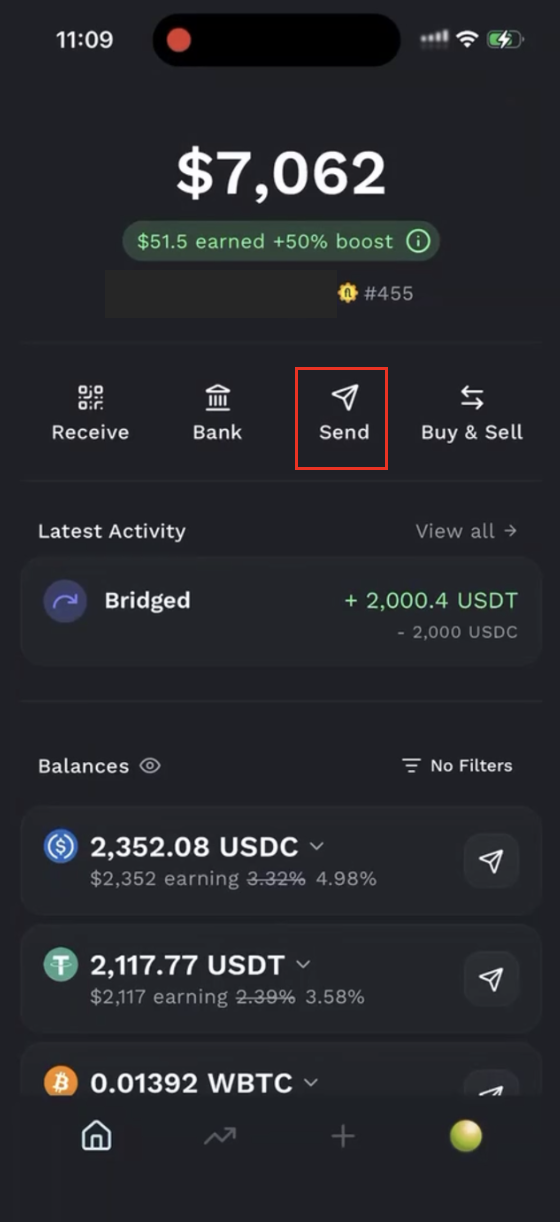
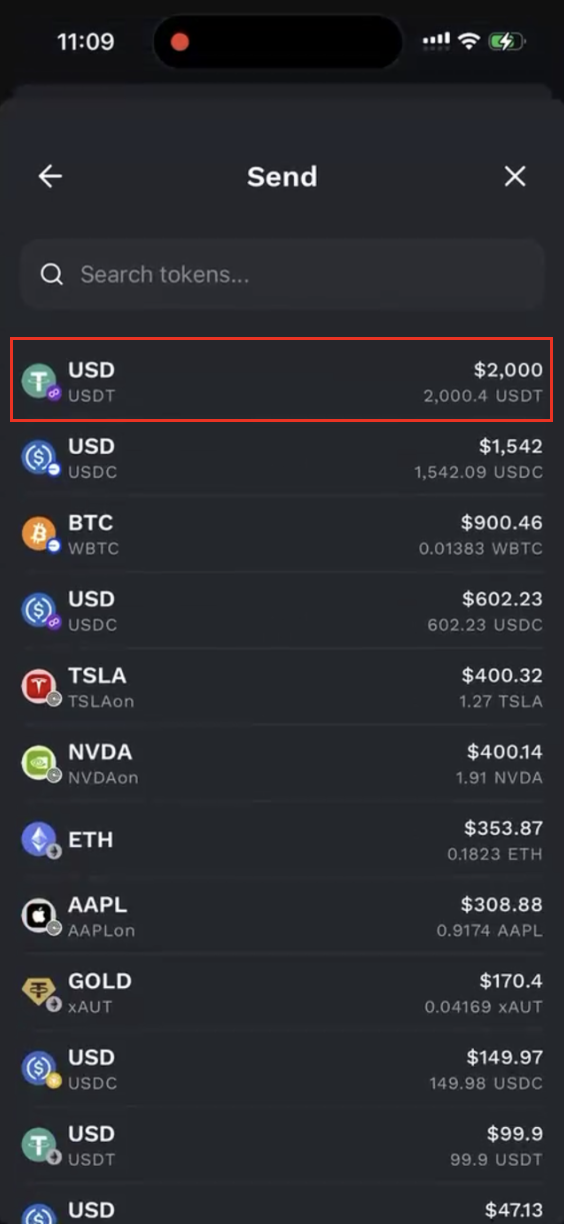
Step 2: Set Up the Bank Recipient
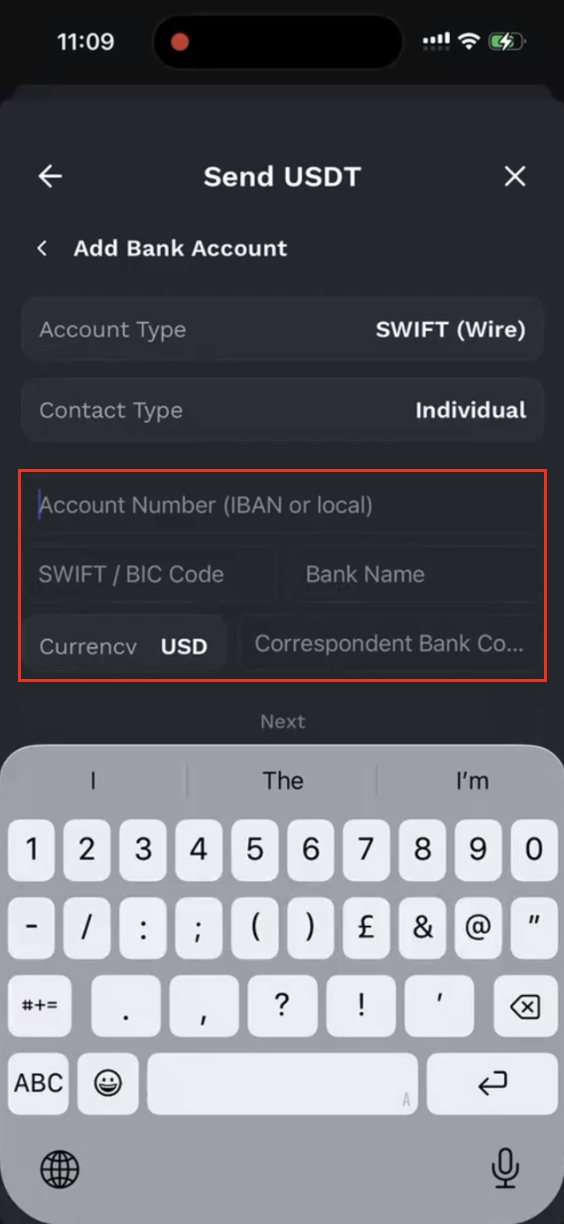
First, add a recipient bank account and select SWIFT (Wire) as the account type.
Then, follow the on-screen instructions to enter the recipient bank information:
- Account Number
- SWIFT / BIC code
- Bank name
- Intermediary bank SWIFT code (optional)
- Full name
- Recipient address
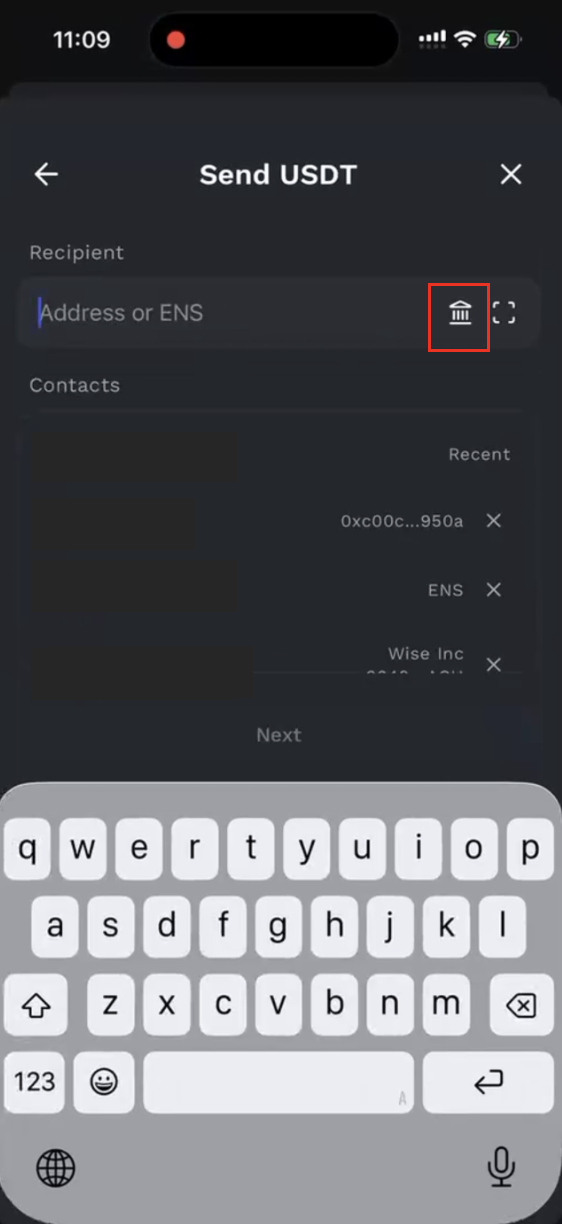
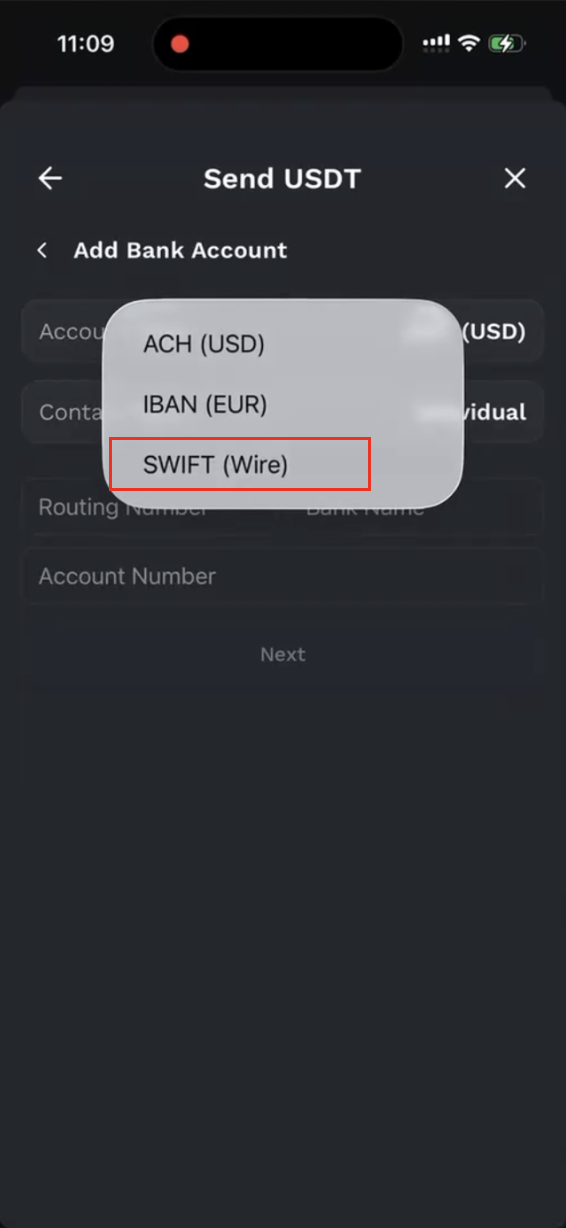
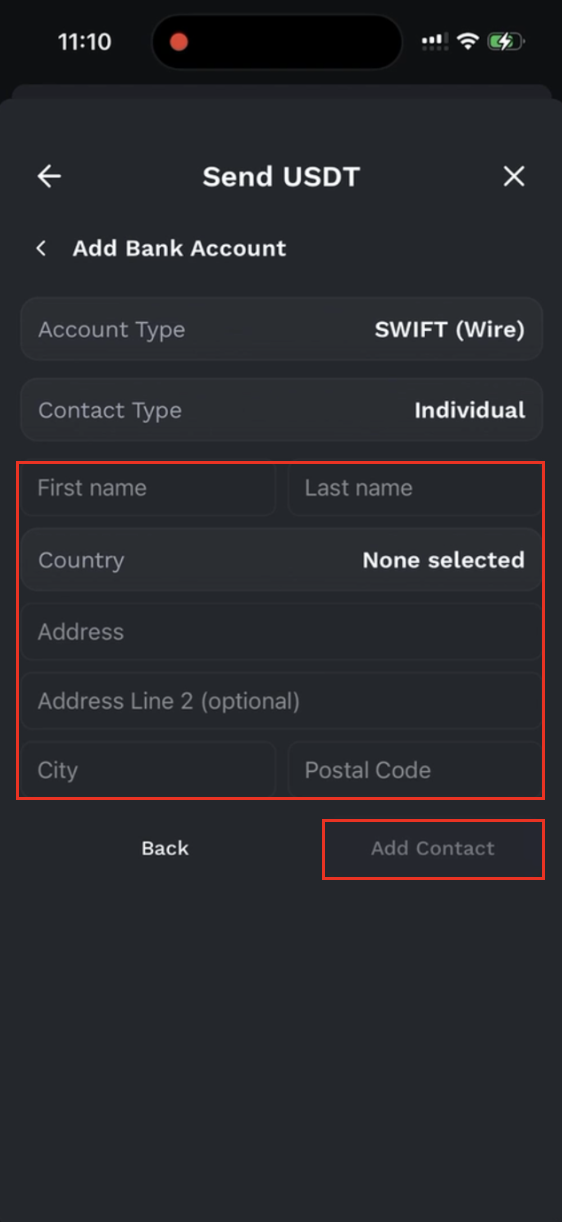
Once completed, save the bank recipient.
Step 3: Initiate the SWIFT Transfer
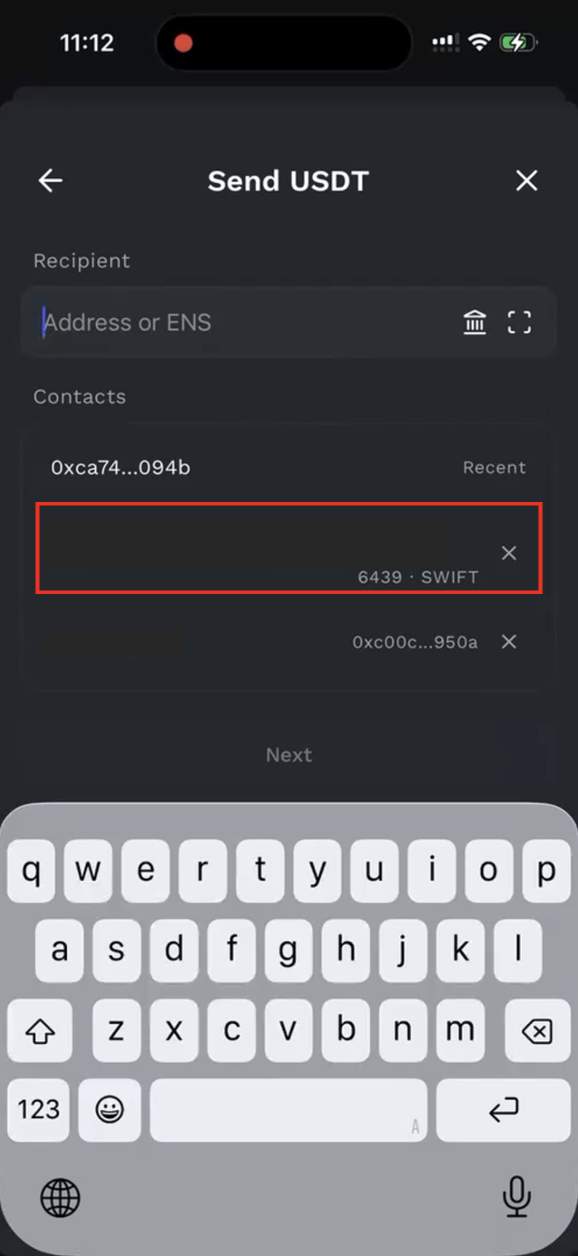
After saving the recipient bank account, the system will take you to the transfer confirmation flow. First, confirm that the recipient is the SWIFT bank account you just added. The screen will display the bank name, the last few digits of the account number, and the SWIFT label.
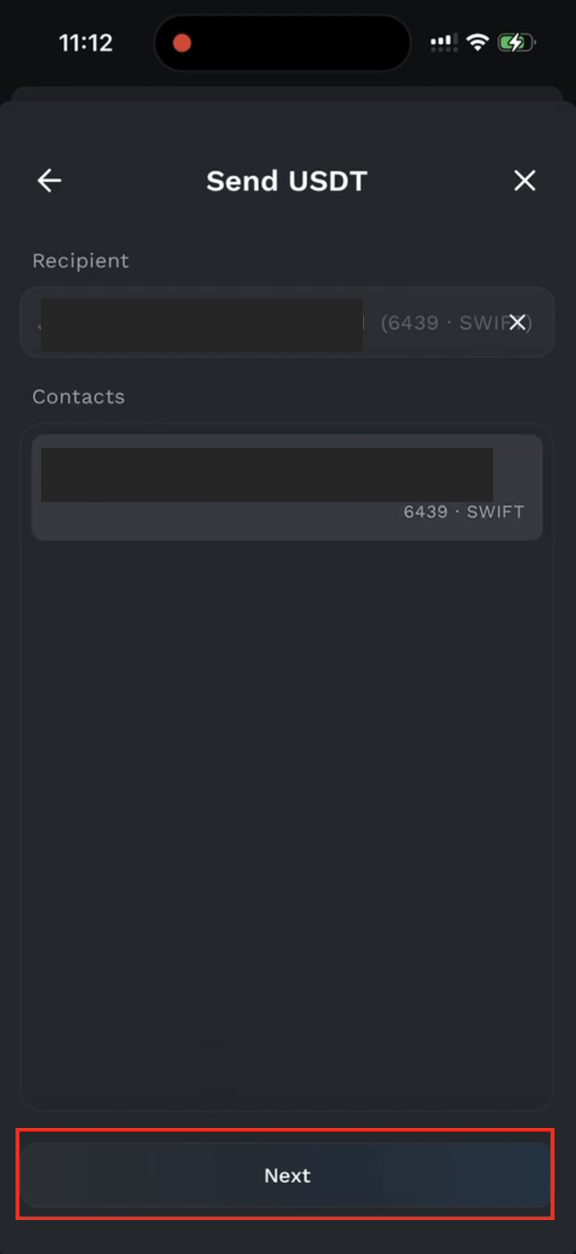
Enter the transfer amount and complete the email verification. You may also add a bank reference; please note that this must be in English and is limited to 140 characters.
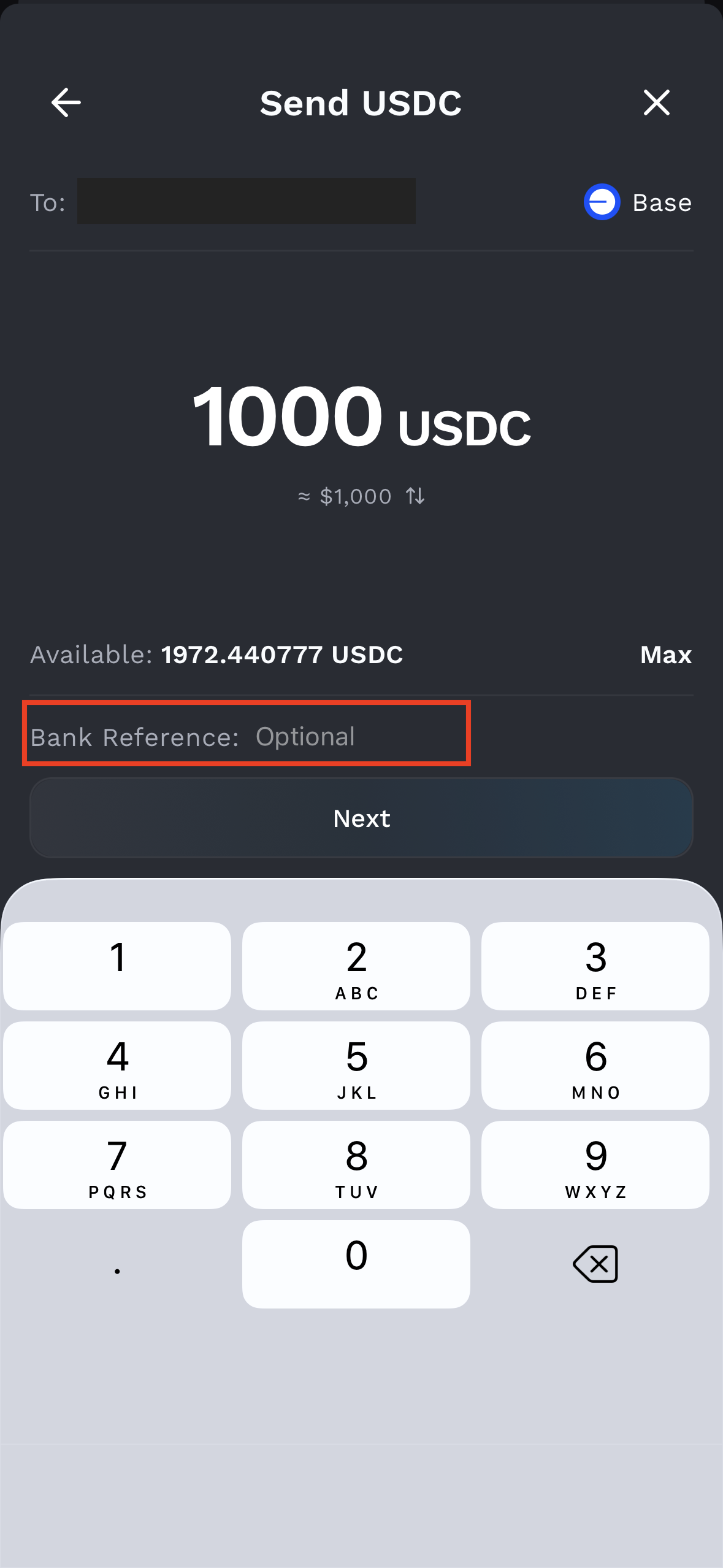
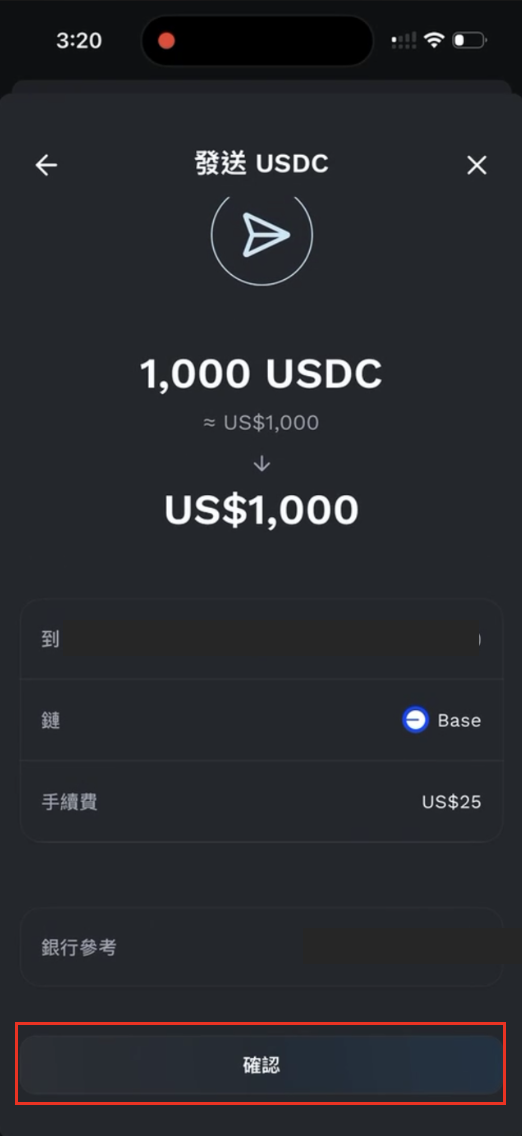
After confirming that all information is correct, click Confirm to submit the transfer.
Regarding fees: SWIFT transfers carry a flat fee of US$25. If the transfer uses assets on Ethereum Mainnet, a gas fee will apply in addition to the SWIFT fee. Actual fees will be shown on the transfer confirmation screen.
Step 4: Check the Transfer Status
Once submitted, you can return to the home screen to view the status and details of your transfer.
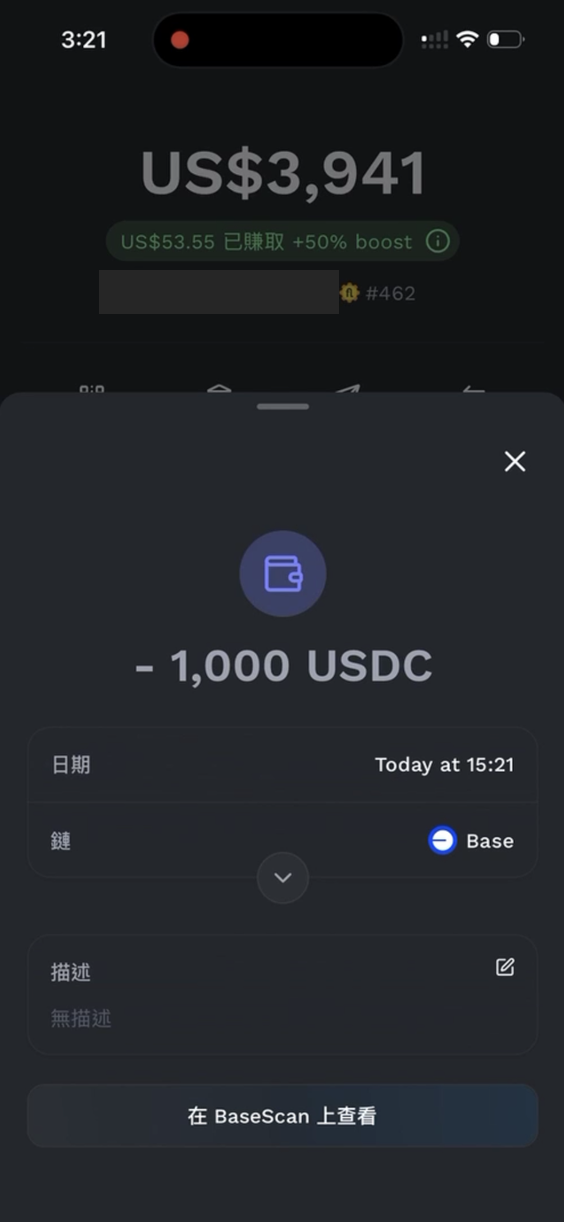
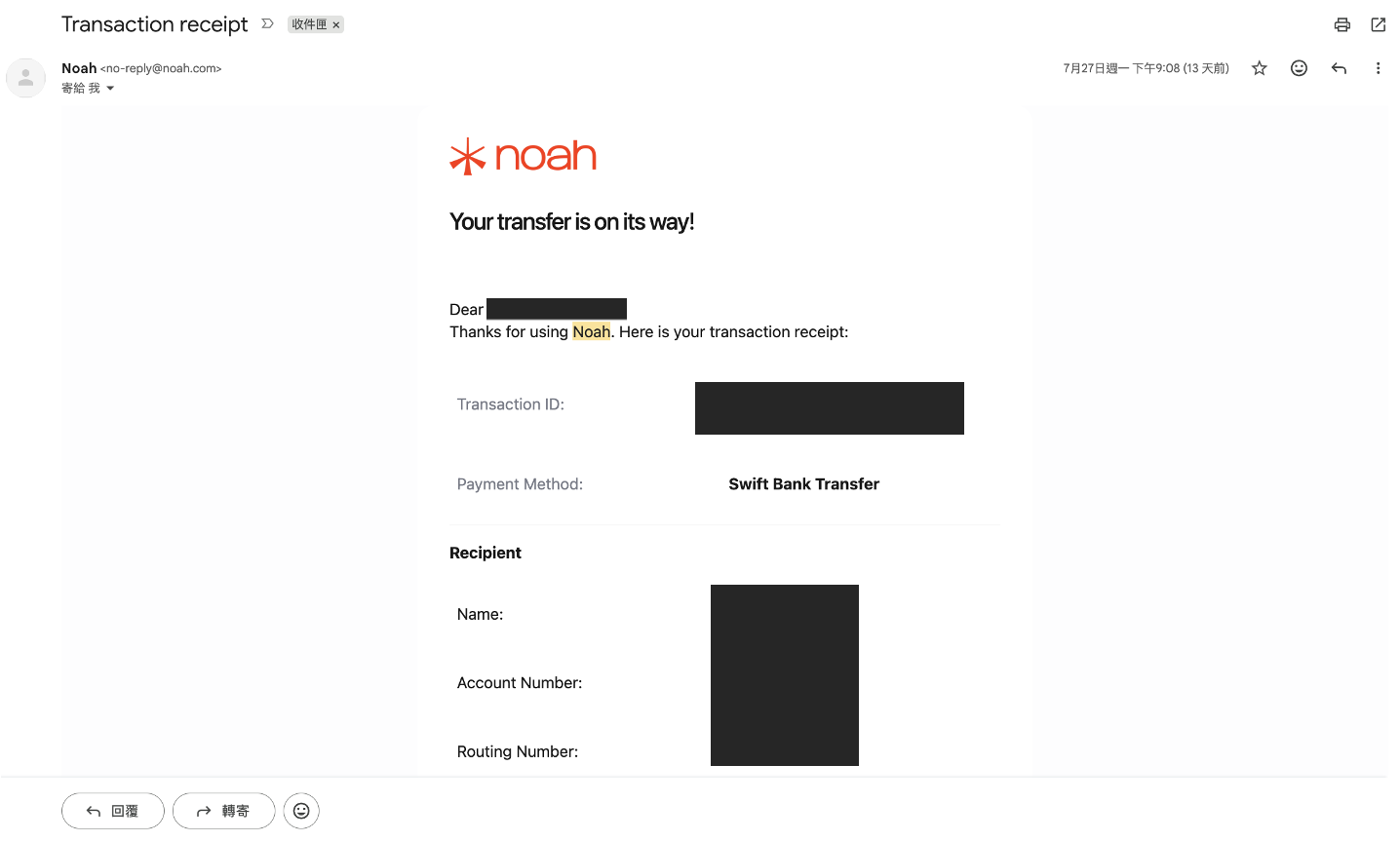
After the transfer is completed on Fluidkey's end, Noah will process your transfer request and send an email receipt confirming the transfer details. Processing time depends on the bank and may take a while.
Disclaimer
The content of this article is provided solely for the purpose of sharing technical and product information, and does not constitute investment, financial, tax, or legal advice. Cross-border fund transfers are subject to the financial regulations, foreign exchange controls, and tax reporting requirements of the relevant jurisdictions. Users are responsible for verifying the applicable rules based on their own location and circumstances, and for bearing any associated risks. Any operations described herein are for illustrative purposes only; please evaluate carefully and consult a qualified professional before use where appropriate.