
How to Fund and Withdraw Your Charles Schwab Account Using Fluidkey with No Fees
In your Fluidkey account, USDC is treated as USD on a 1:1 basis, which you can use to on-ramp or off-ramp USD between your Fluidkey balance and an external bank account.
Once you complete KYC, Fluidkey provides an embedded ACH account, powered by Noah with SSB Bank as the U.S. banking partner. The account is held in your own name, so you can use it to deposit to and withdraw from brokerage accounts such as Charles Schwab.
Every user is entitled to $3,000 in free transfers per month, covering both on-ramp and off-ramp activity. Beyond that limit, you can still send and receive funds with a 0.3% fee applied.
(1) How to Deposit Funds into Charles Schwab via Fluidkey
Step 1: Get Your Charles Schwab ACH Deposit Information
After logging in to Charles Schwab, go to:
Transfers & Payments → Routing Numbers & Direct Deposit
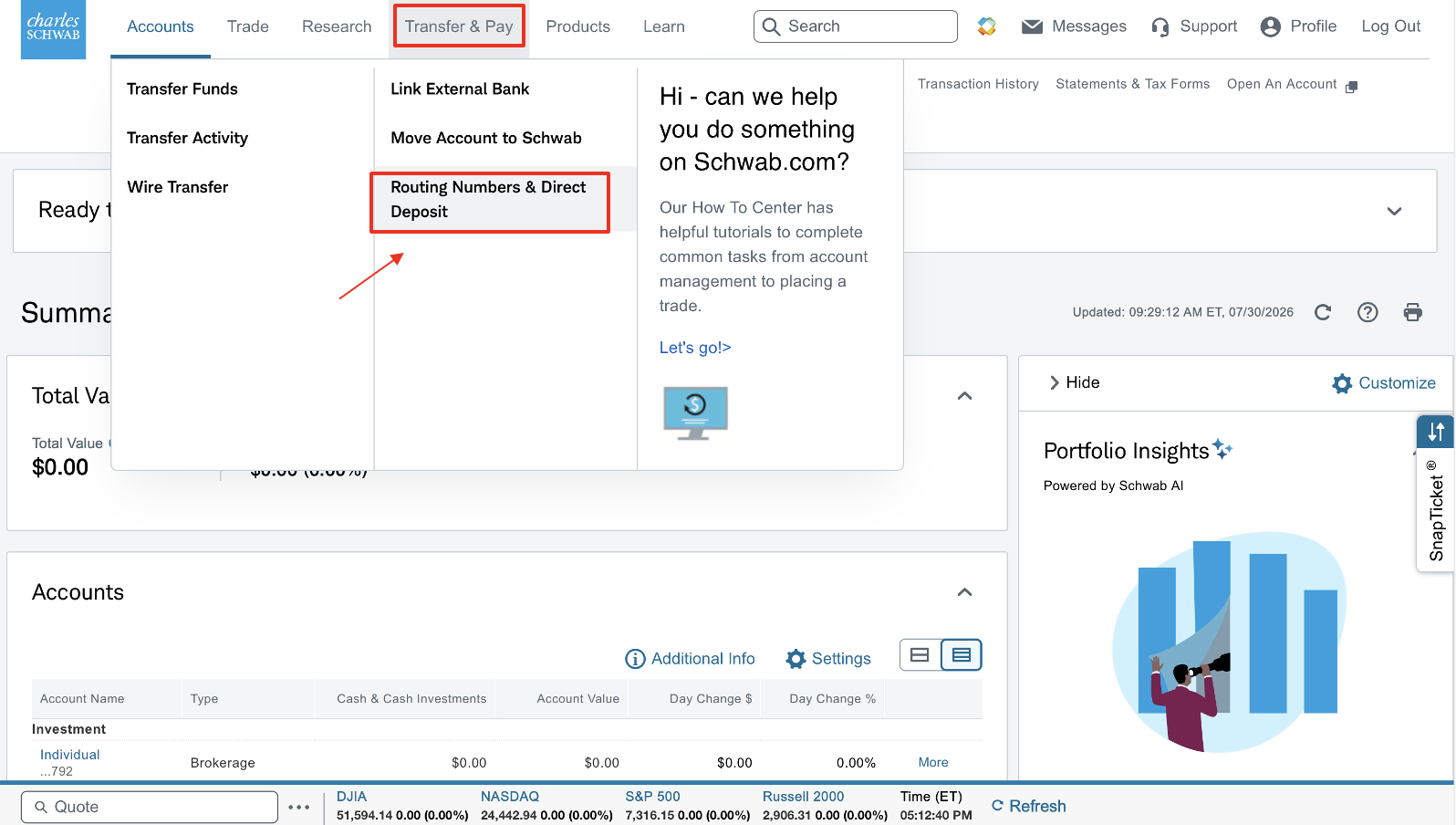
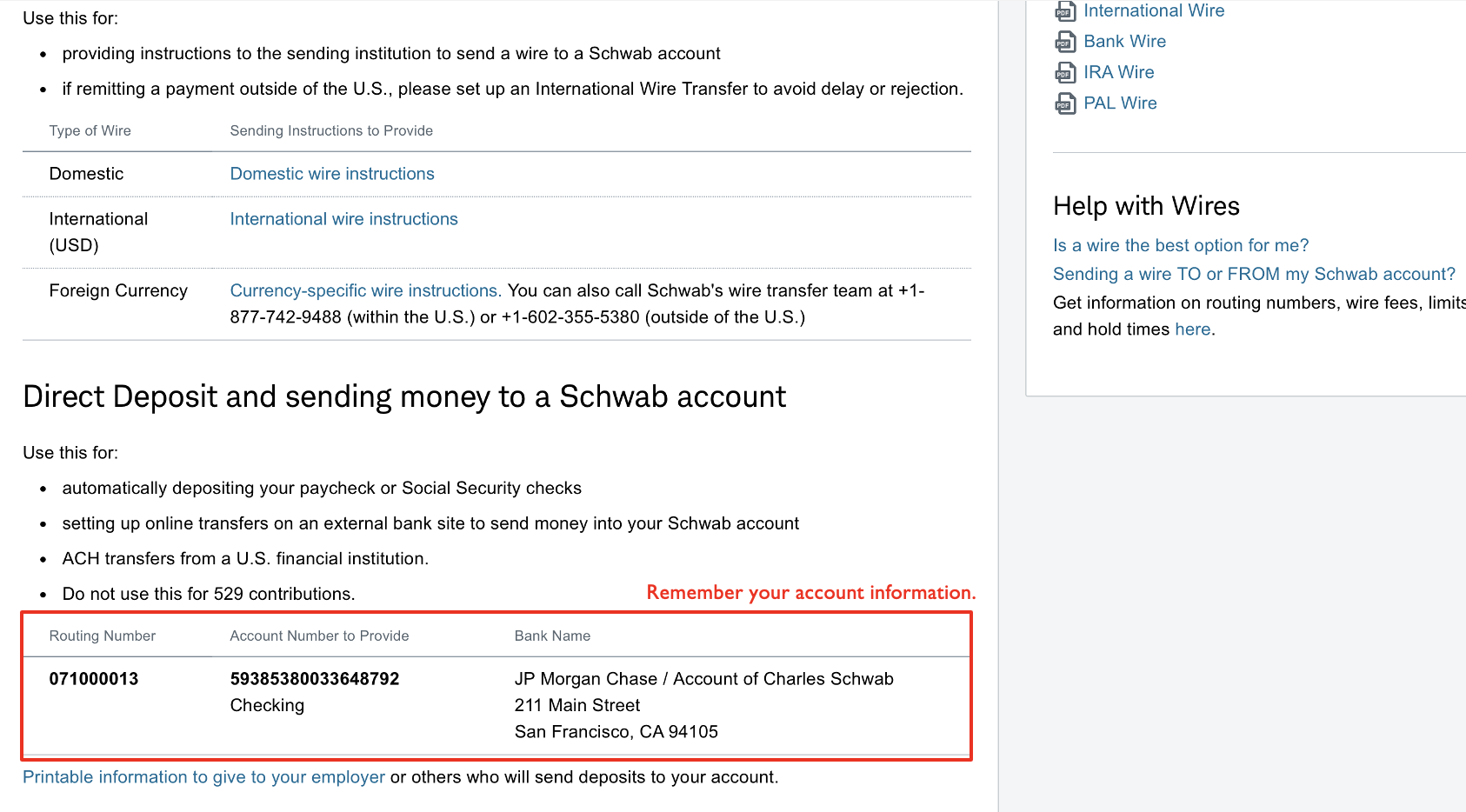
Scroll down to the "Direct Deposit and Direct Payments to Schwab Account" section and note the following account information:
- Routing number
- Account number
- Bank name
- Bank address
Please use the information shown directly on your own account page. Do not use someone else's account number or routing number.
Step 2: Send USDC from Fluidkey
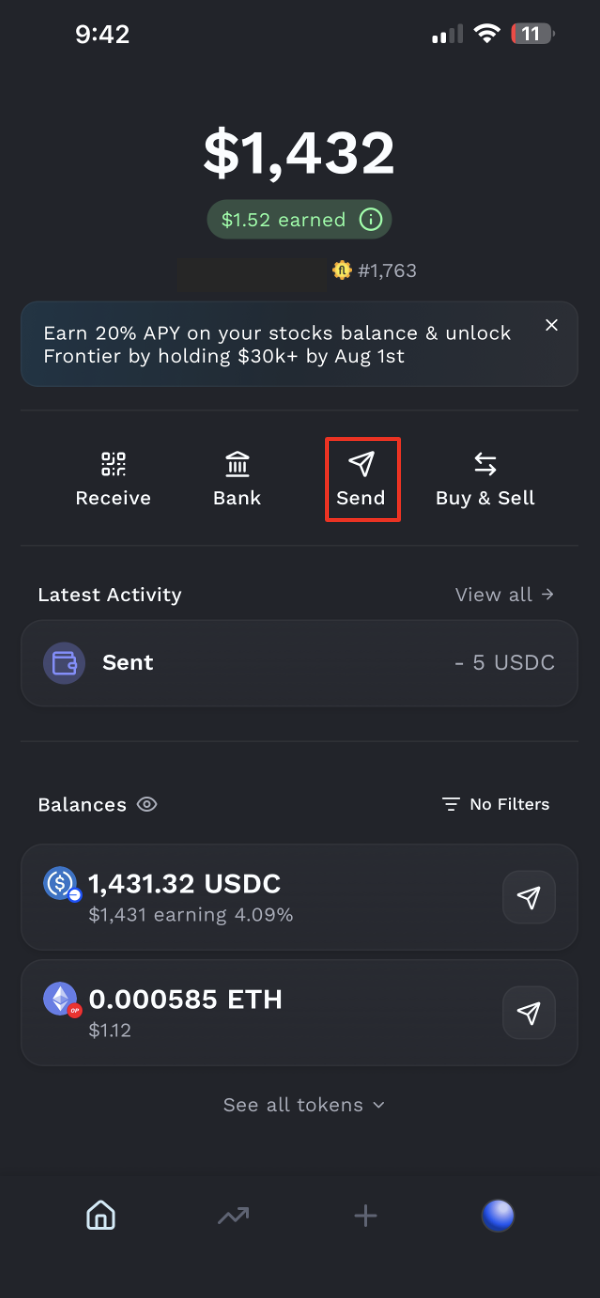
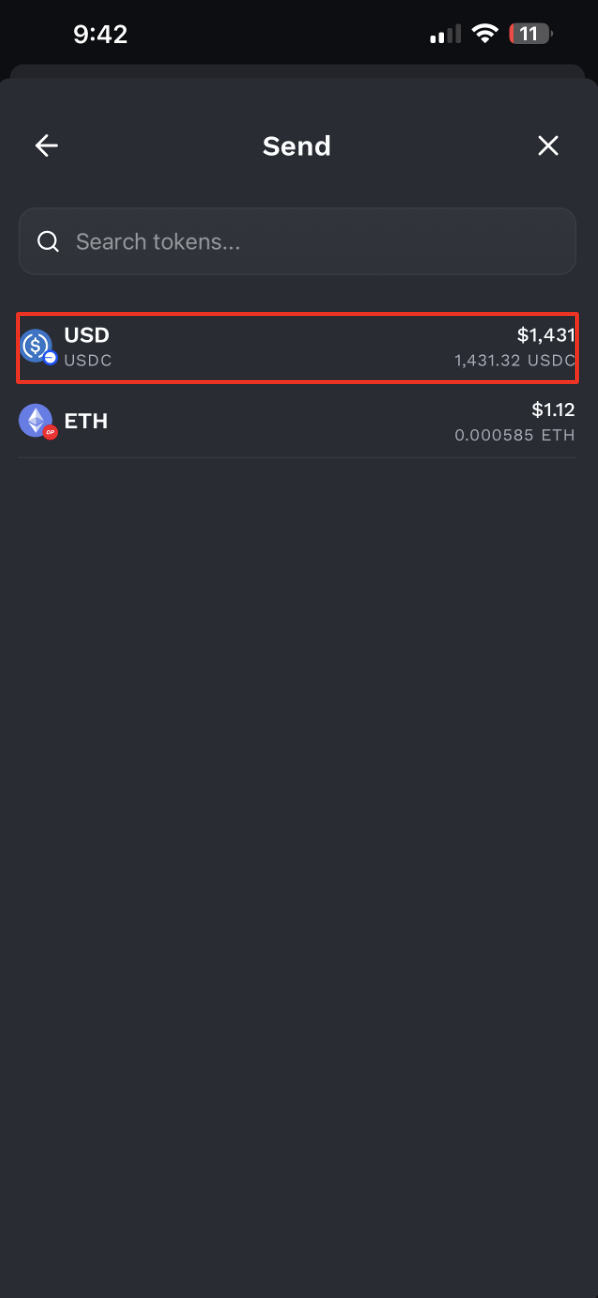
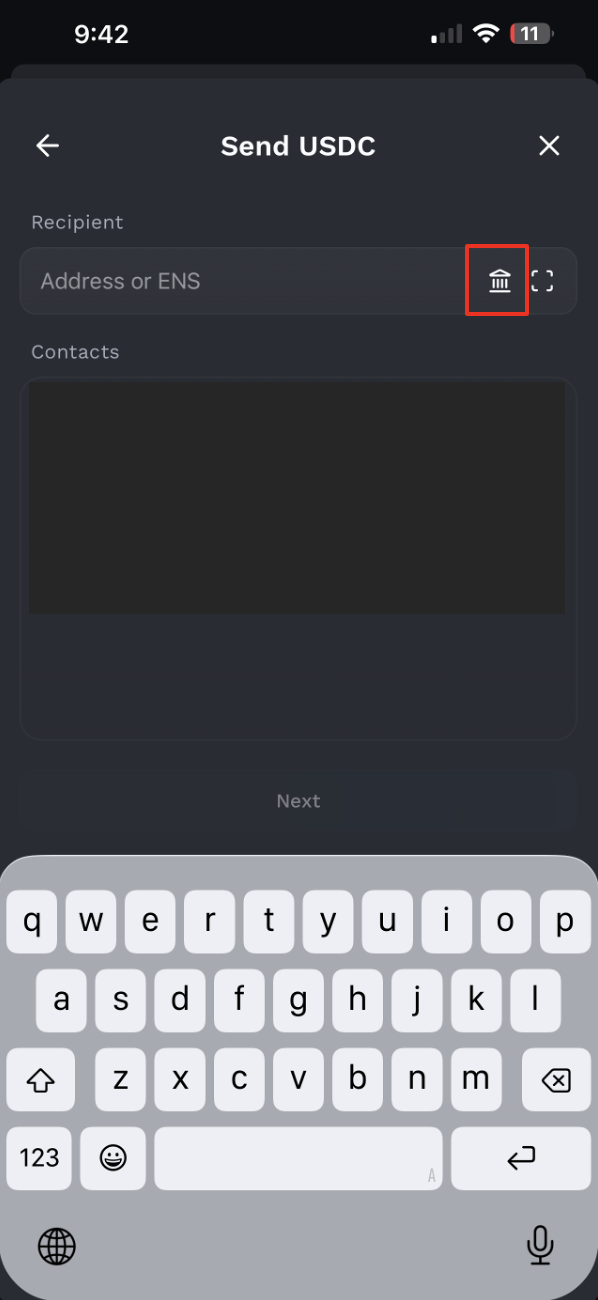
Open Fluidkey, tap Send, and select USDC.
(Note: You can also send using any token on Base, Ethereum, Polygon, and Gnosis. USDC and USDT are converted to USD at a 1:1 rate, while other tokens are converted based on their current market rate; please refer to the rate shown in the app. EU users cannot use USDT.)
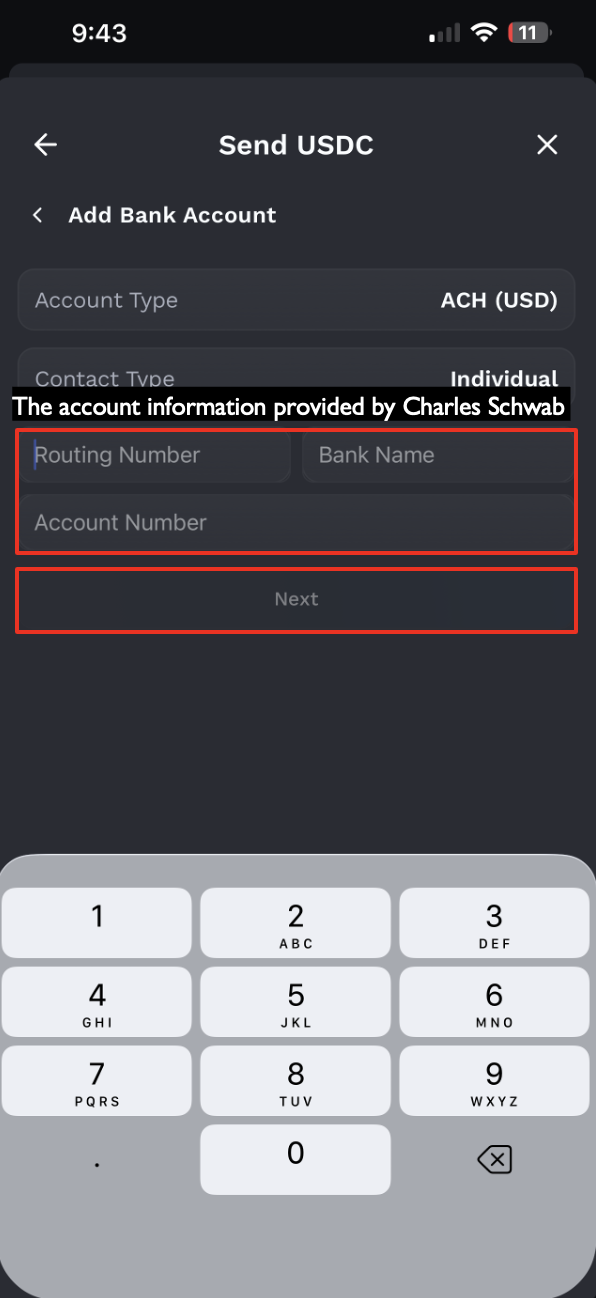
In the address field, tap the Bank icon on the right. Select ACH (USD) and Individual. Then, using the information you noted from Charles Schwab, enter the routing number, bank name, and account number. Tap Next.
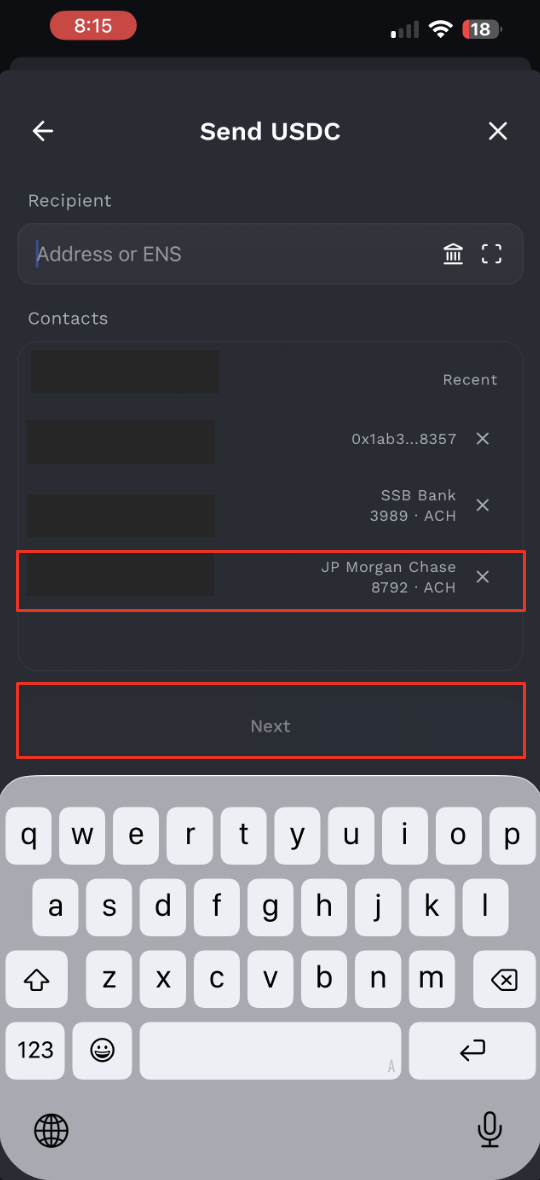
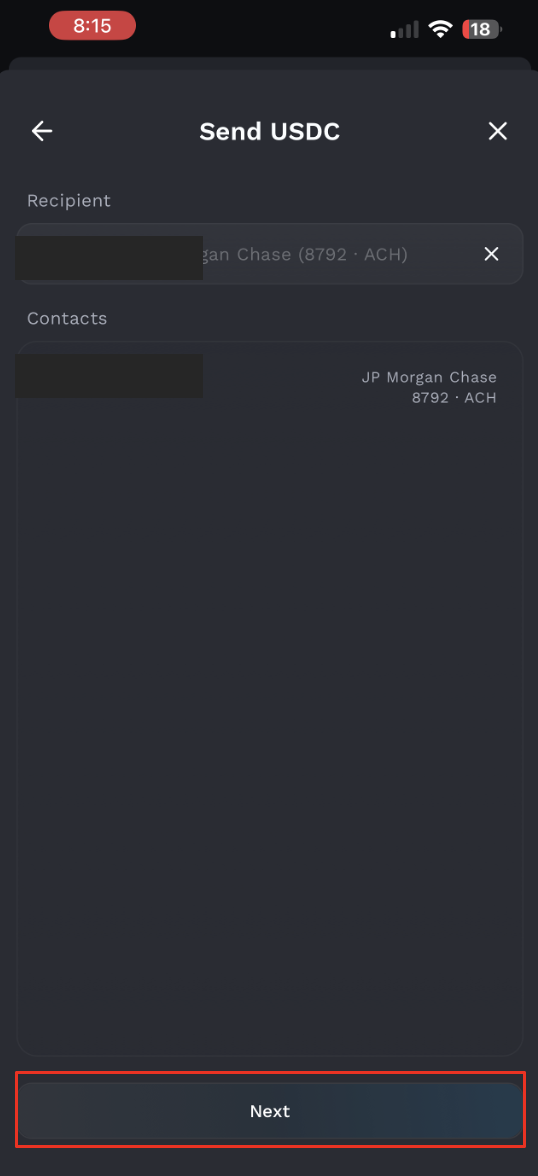
Select the bank account you just set up, then tap Next.
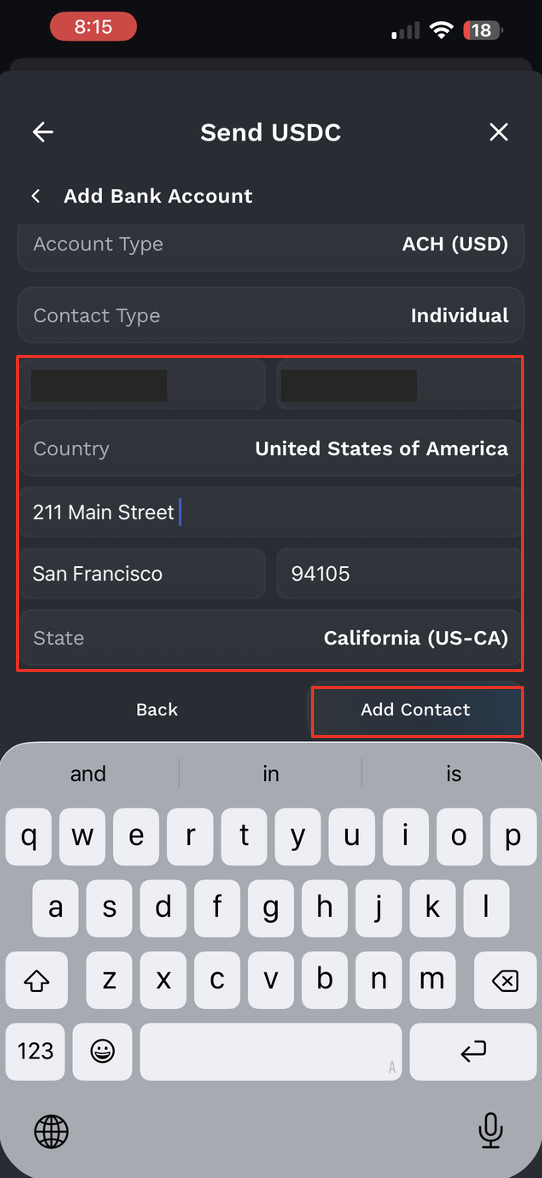
Enter your legal first name and last name in English. The name must exactly match the name on your Charles Schwab account. Then fill in the bank address.
Using the address provided by Charles Schwab as an example:
Country: United States of America Address: 211 Main Street City: San Francisco ZIP Code: 94105 State / Province: California
Please note that the information here is just an example. Please follow the details provided by Charles Schwab on your account.
After completing the information, tap Add Contact.
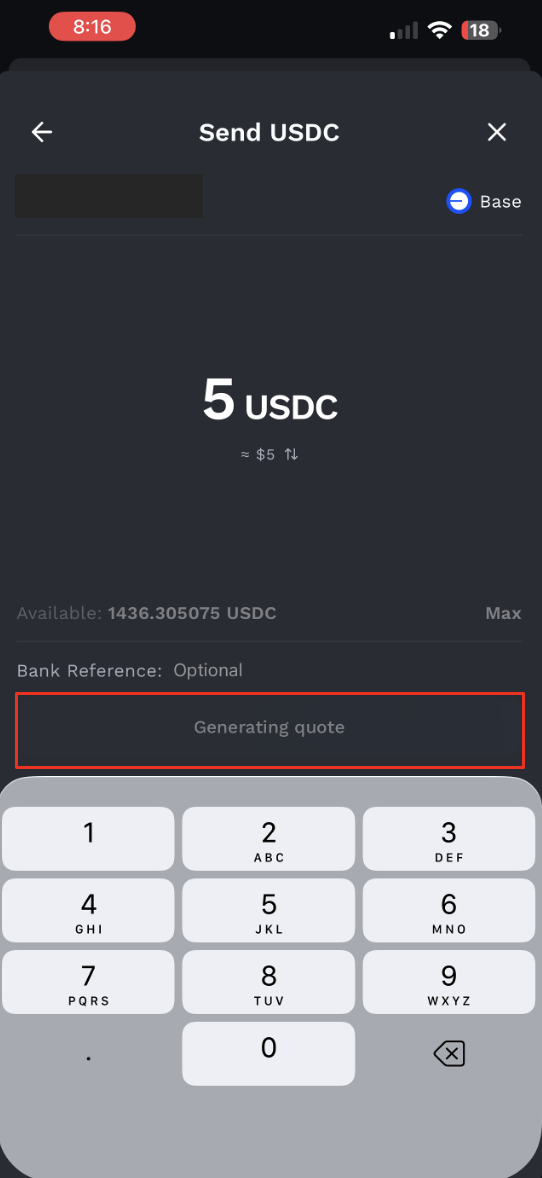
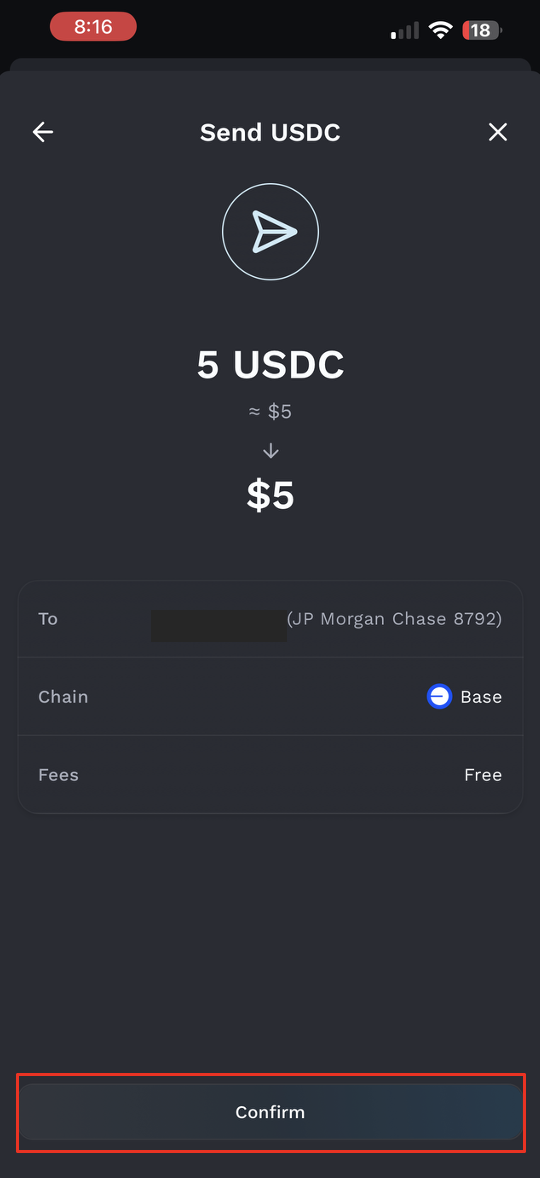
Enter the amount you want to send, tap Next, then tap Confirm.
Step 3: Wait for the Funds to Arrive
After the transfer is successfully sent, you can view the transfer details on the Fluidkey homepage.
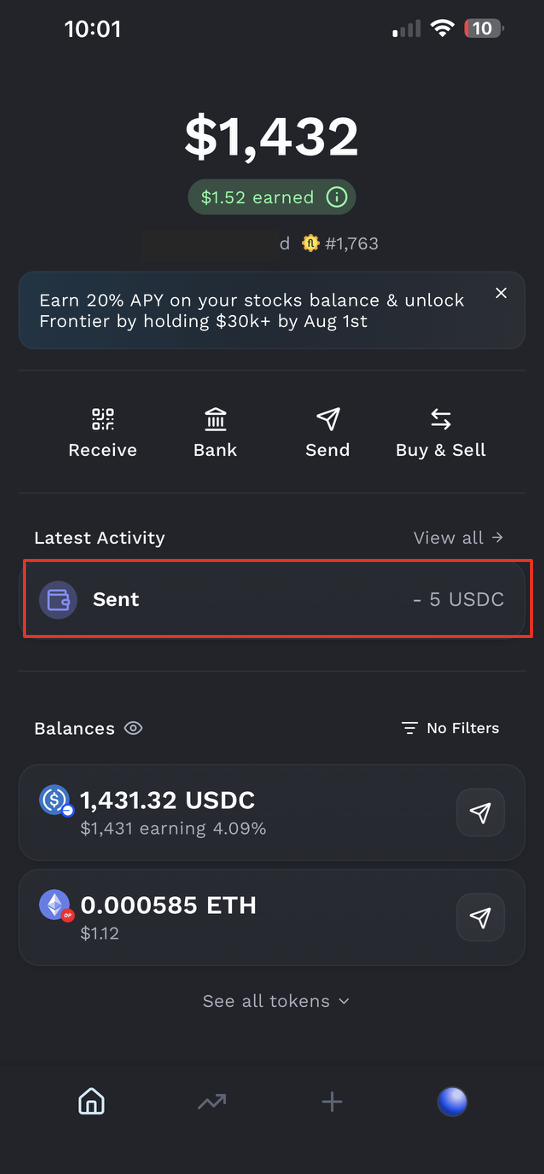
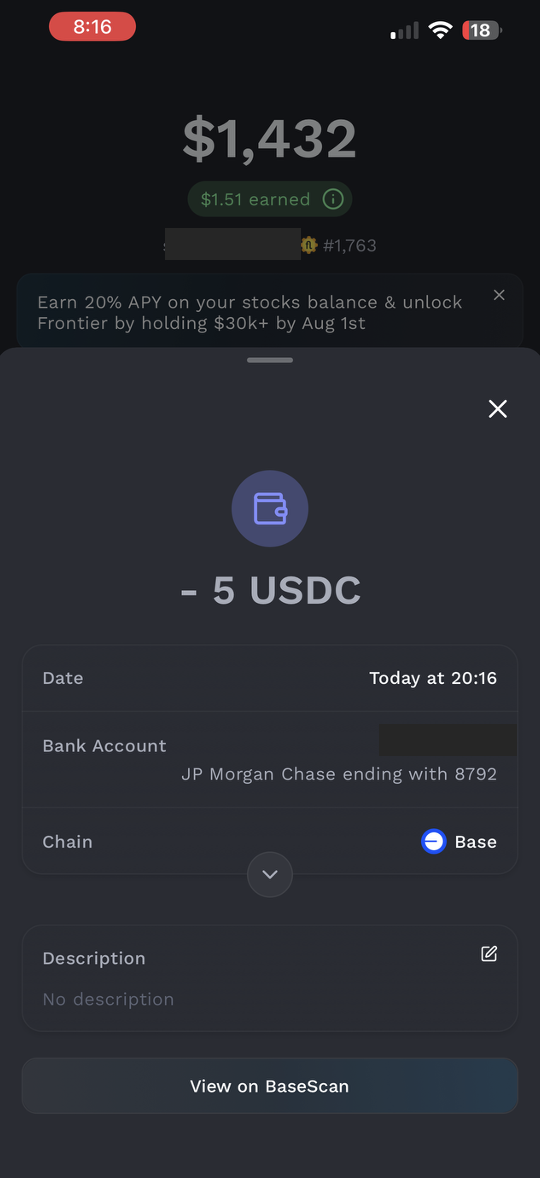
After submitting the transaction, you will receive a transaction notification from Noah. Please wait for the funds to be successfully credited to your account. You can check the details under "Transaction History." Once the funds have arrived, the deposit process is complete.
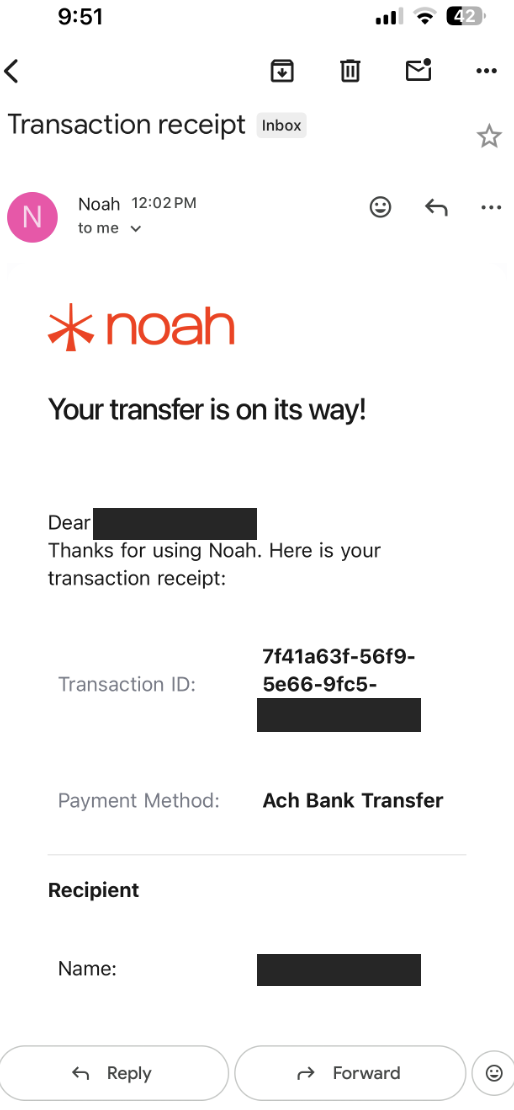
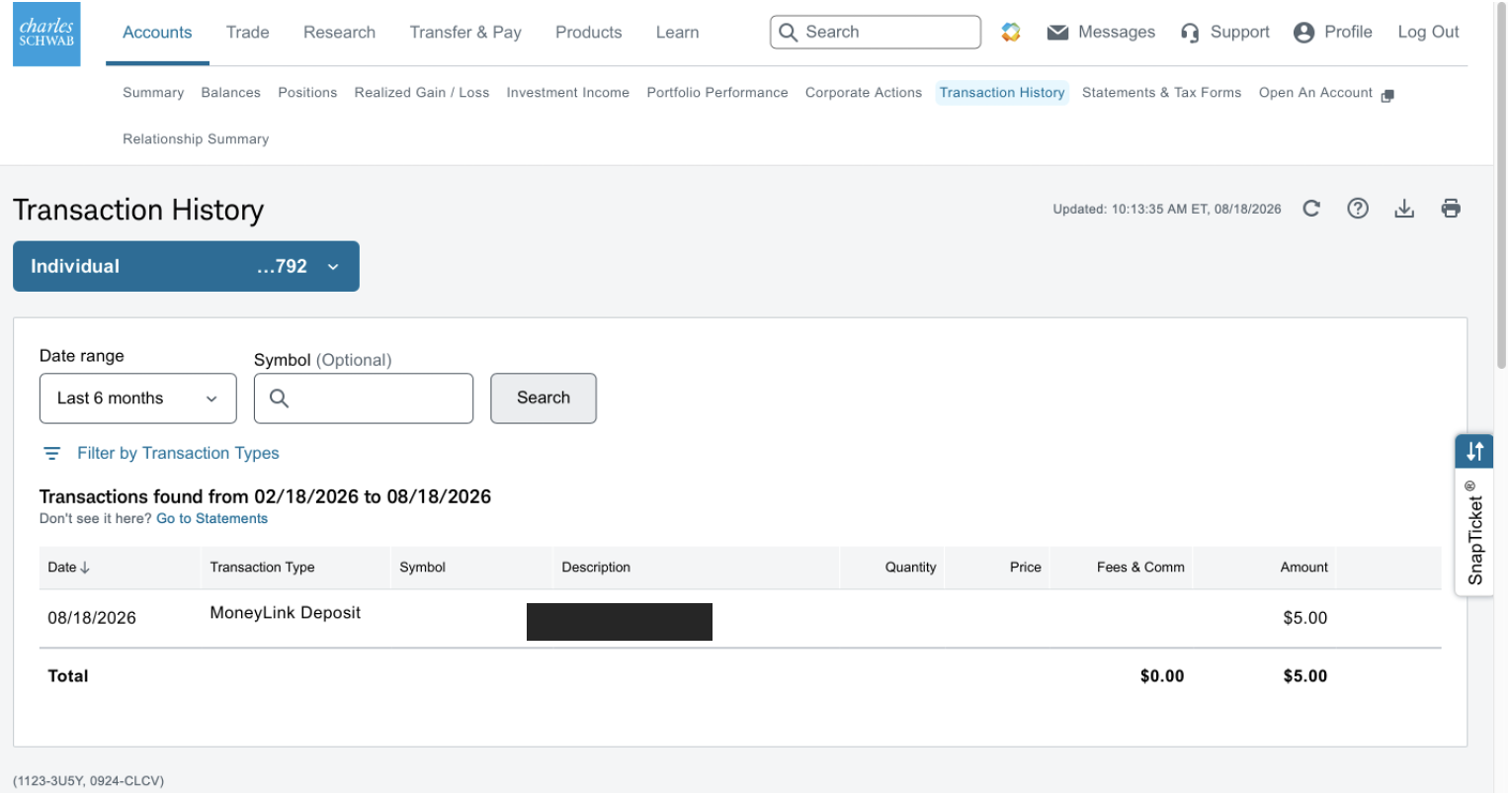
ACH transfers usually take 1–3 business days to complete. The actual arrival time may vary depending on the bank's processing time.
(2) How to Withdraw Funds from Charles Schwab to Fluidkey
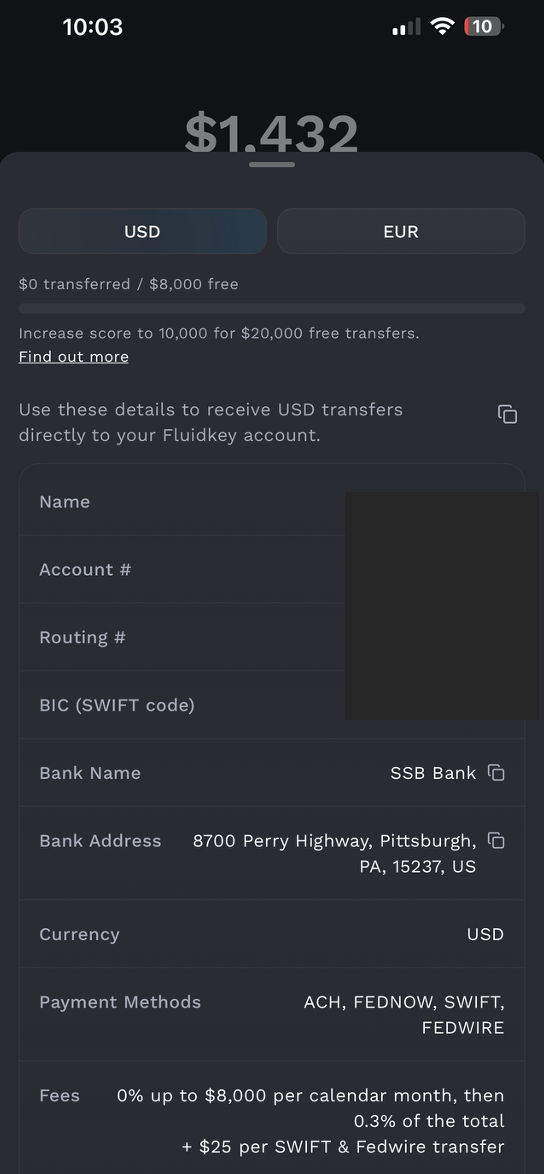
Step 1: Get Your Fluidkey Bank Account Details
Open Fluidkey and go to the Bank section. Note the following information for your Fluidkey Bank account:
- Account holder name
- Routing Number
- Account Number
The name on your Fluidkey account must exactly match the name on your Charles Schwab account.
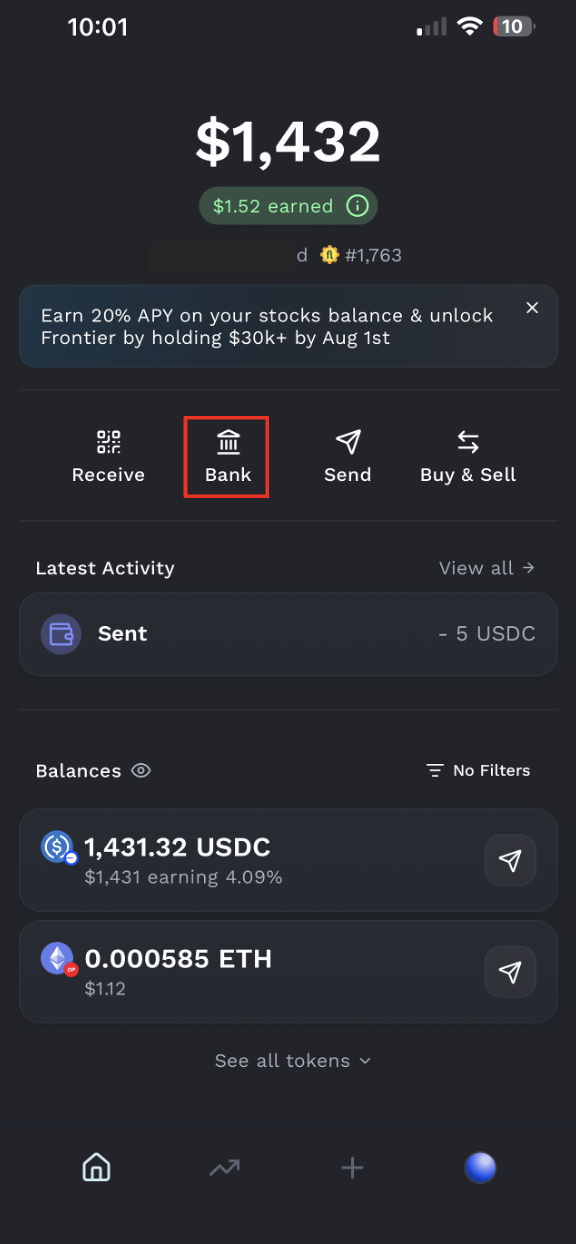
Step 2: Add an External Account in Charles Schwab
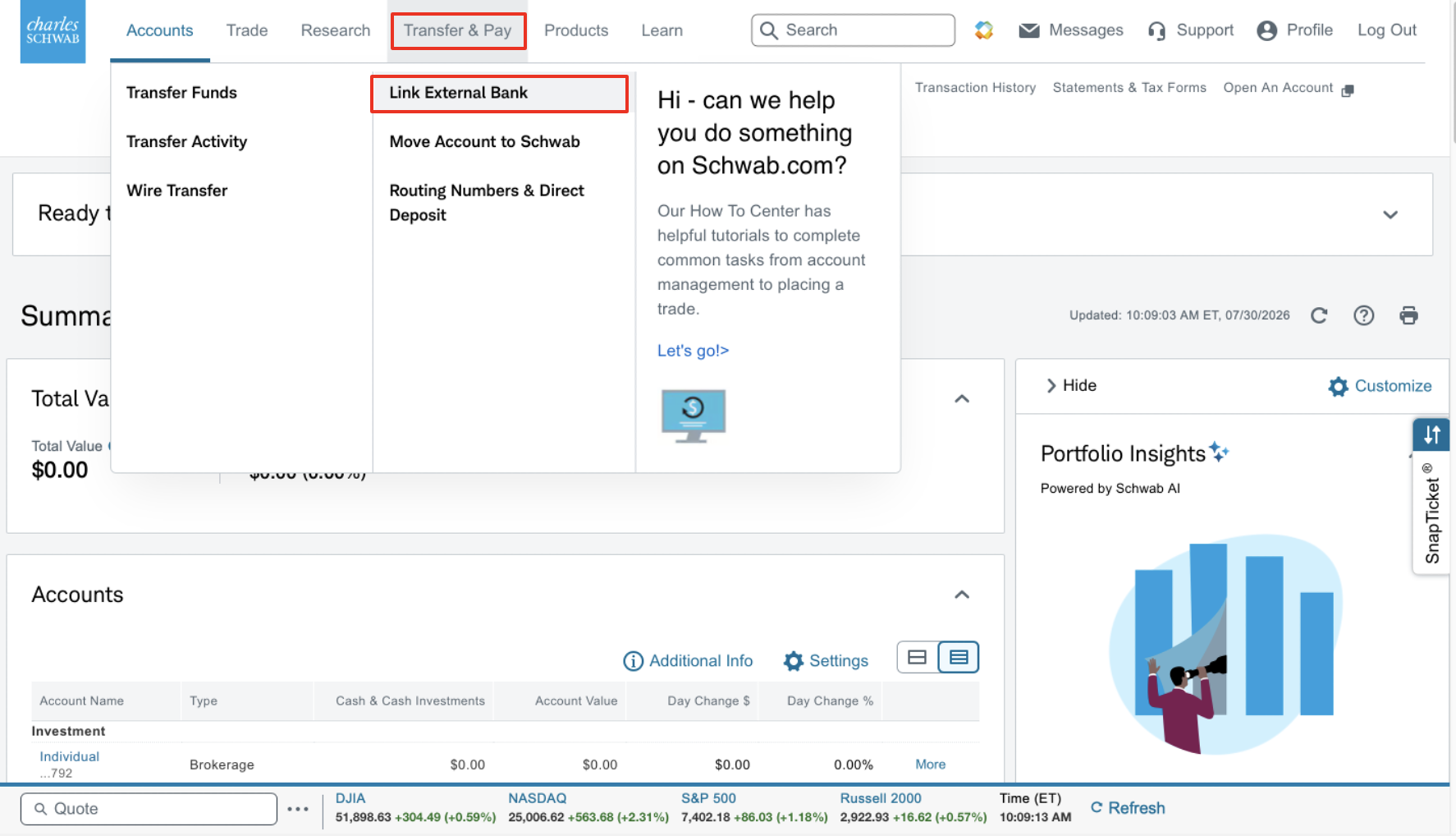
After logging in to Charles Schwab, go to:
Transfers & Payments → Link an External Bank Account
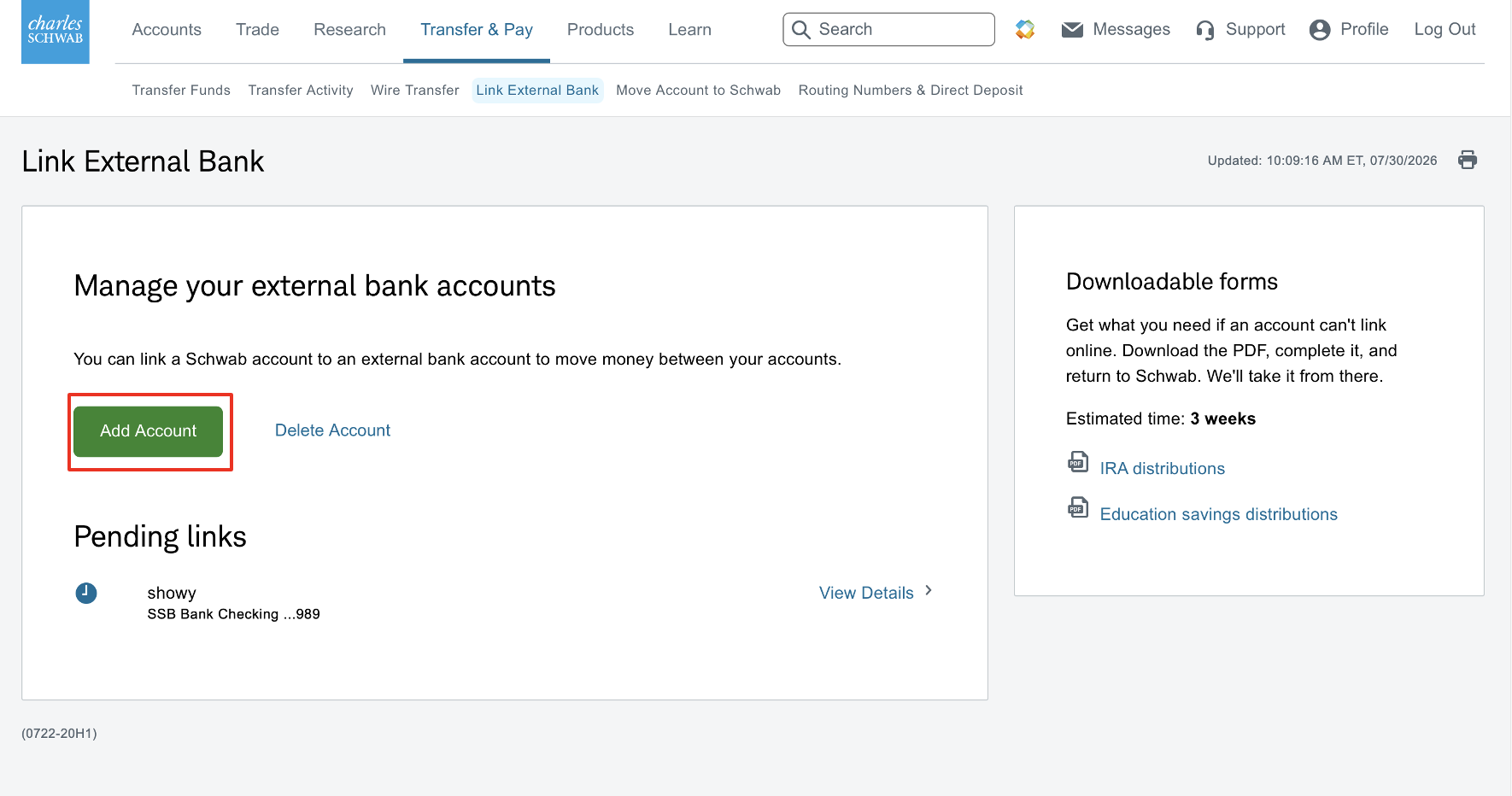
Click Add Account.
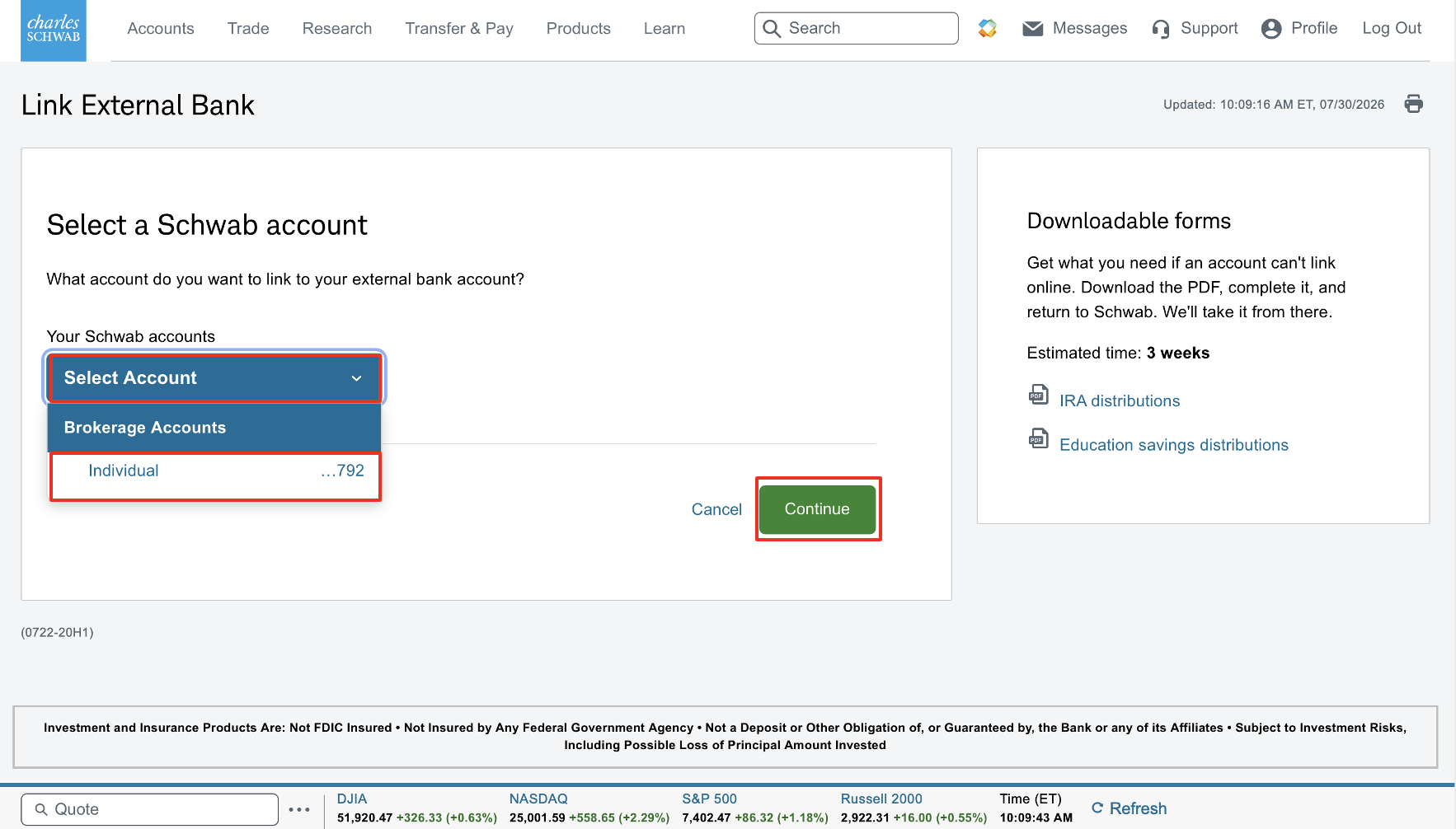
Click Select Account, choose your account, then click Continue.
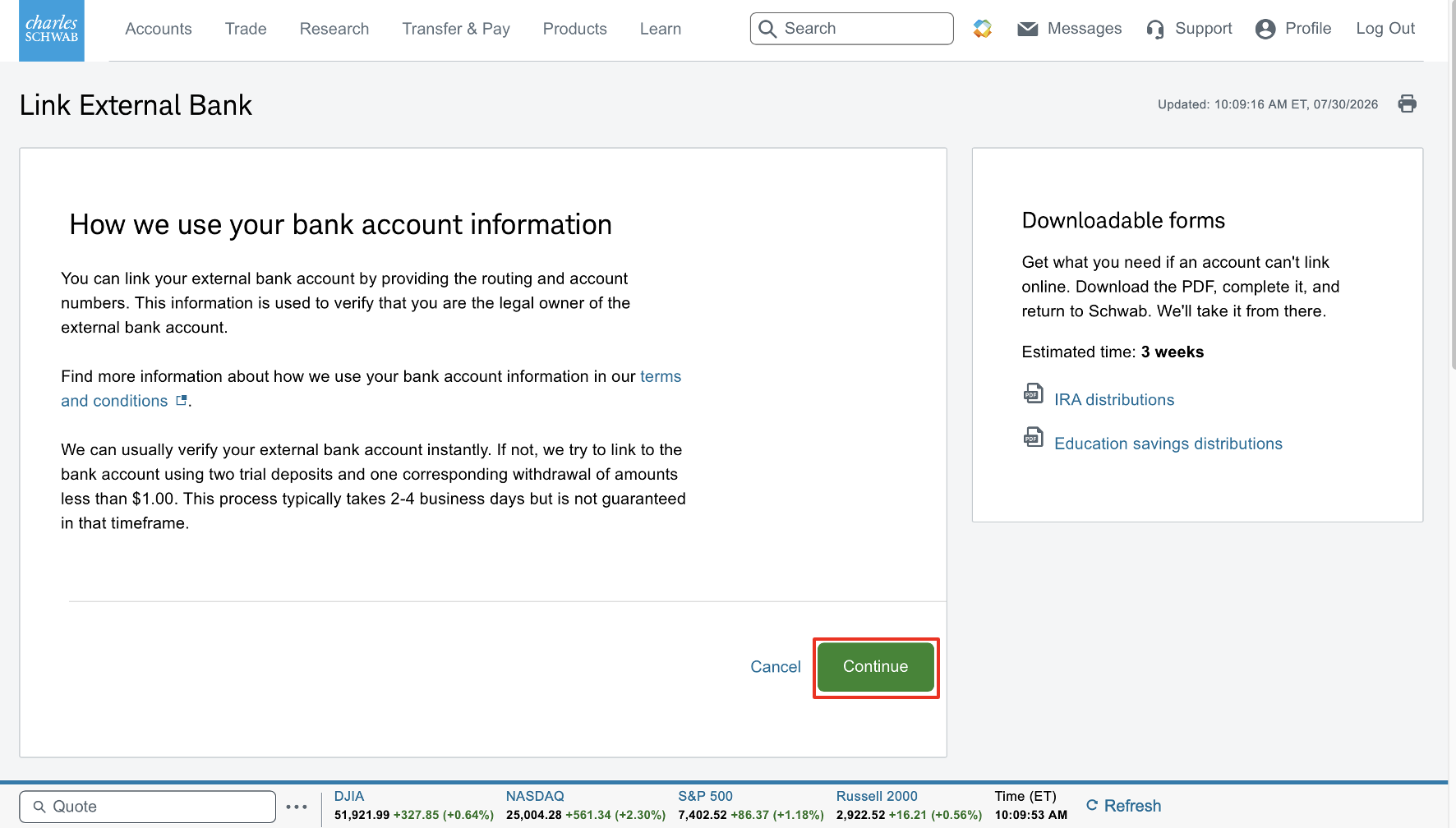
Step 3: Enter Your Fluidkey Account Details
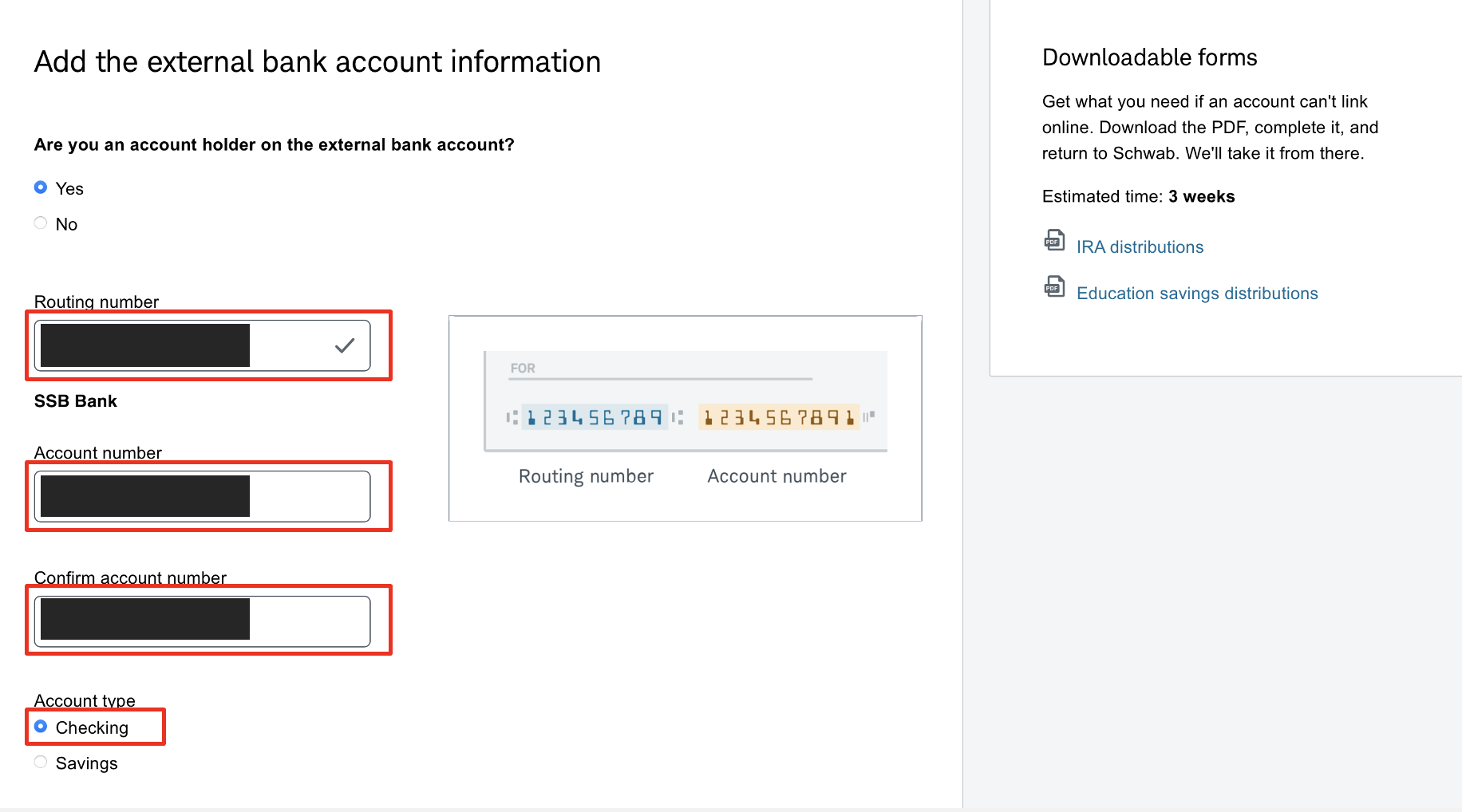
Using the information shown on the Fluidkey Bank page, enter:
- Account Holder Name
- Routing Number
- Account Number
- Account Type: The bank account provided by Fluidkey is a Checking account.
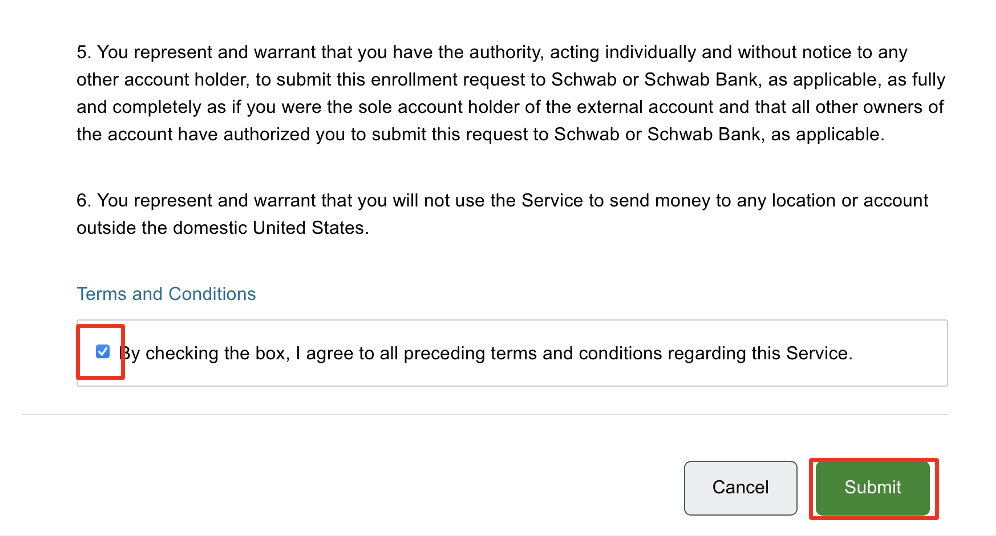
Read and agree to the relevant terms, then submit the external account linking request.
Step 4: Complete Micro-Deposit Verification
After waiting 1–3 business days, Fluidkey will send you an email notifying you that two ACH micro-deposits have been received.
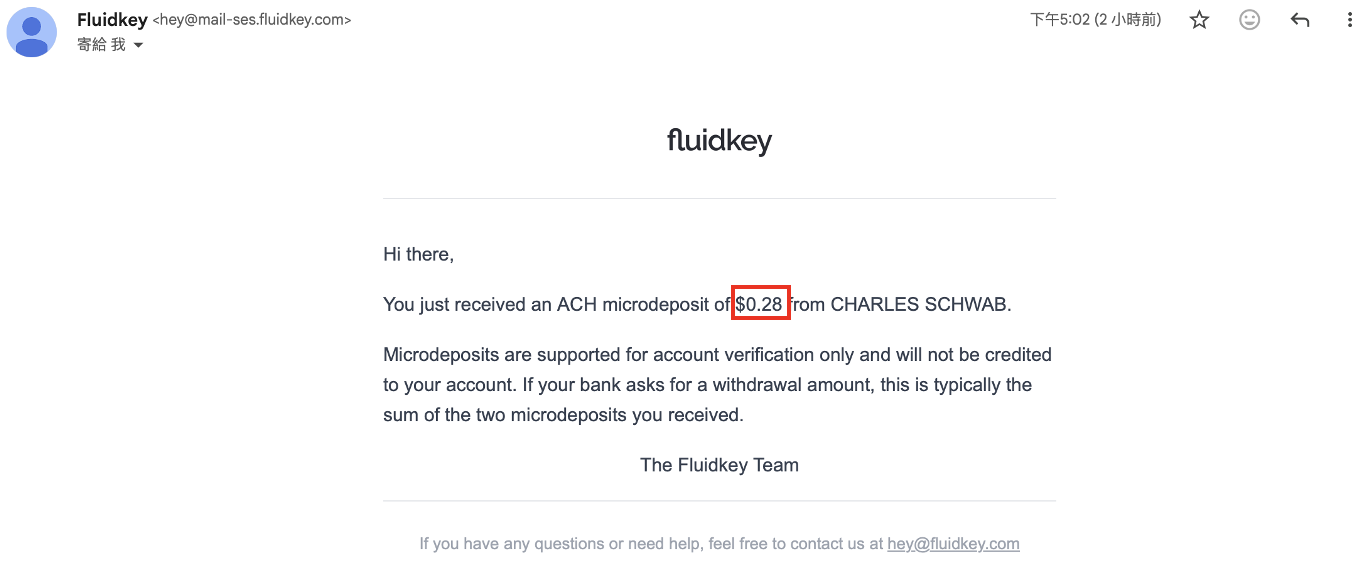
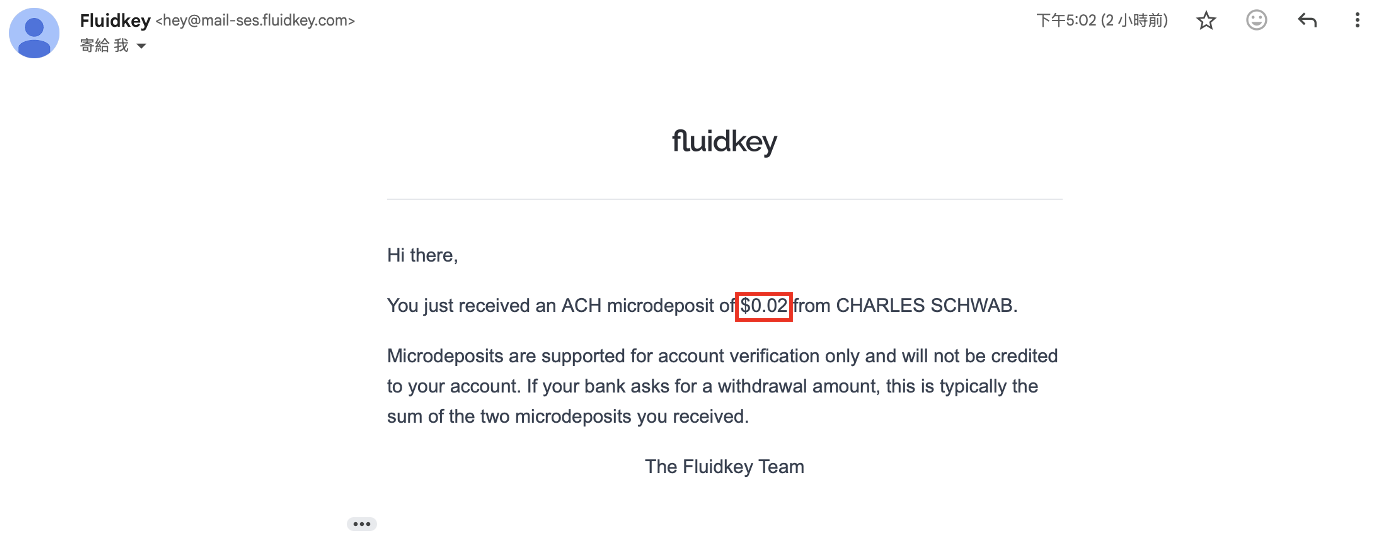
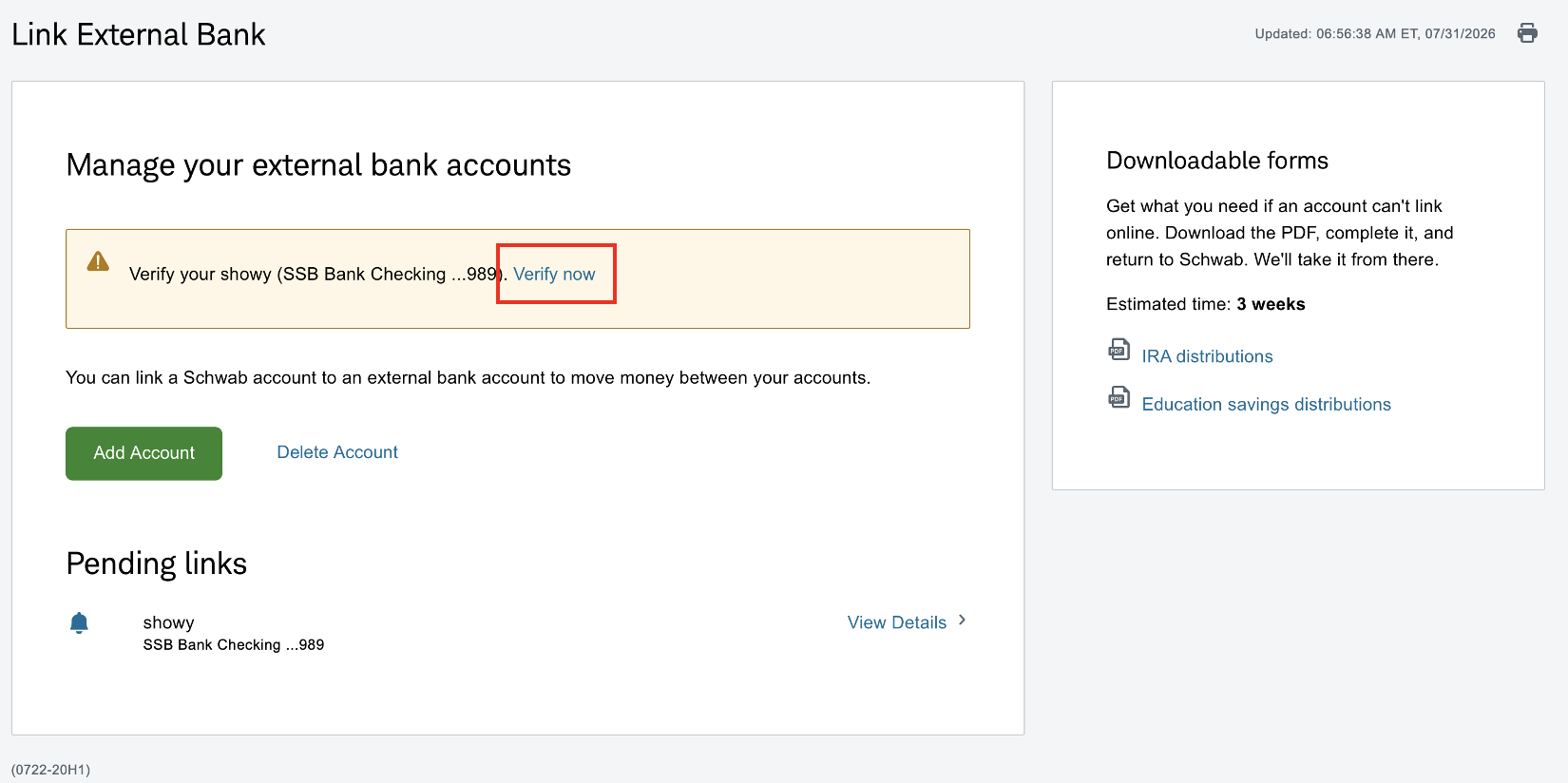
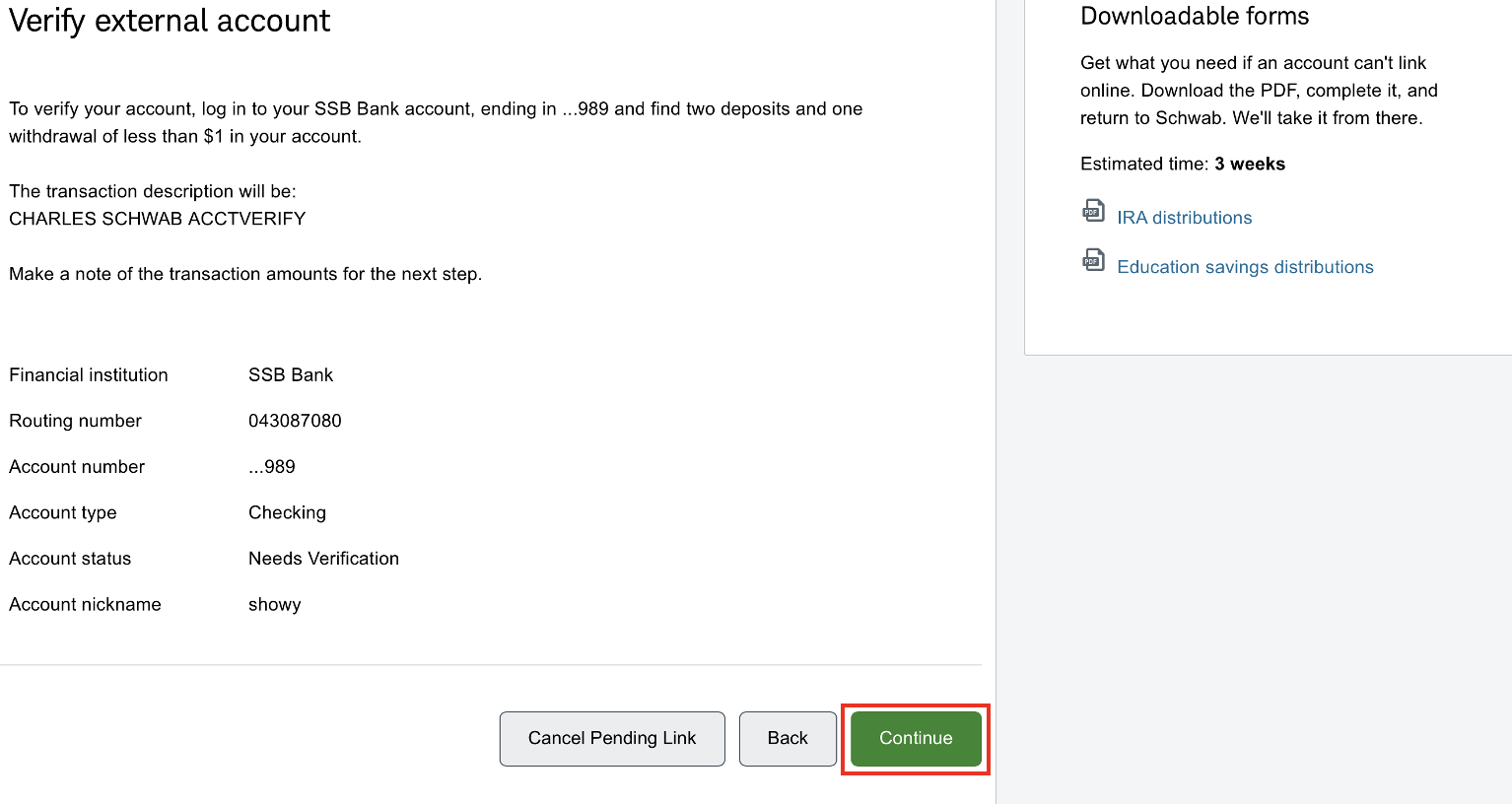
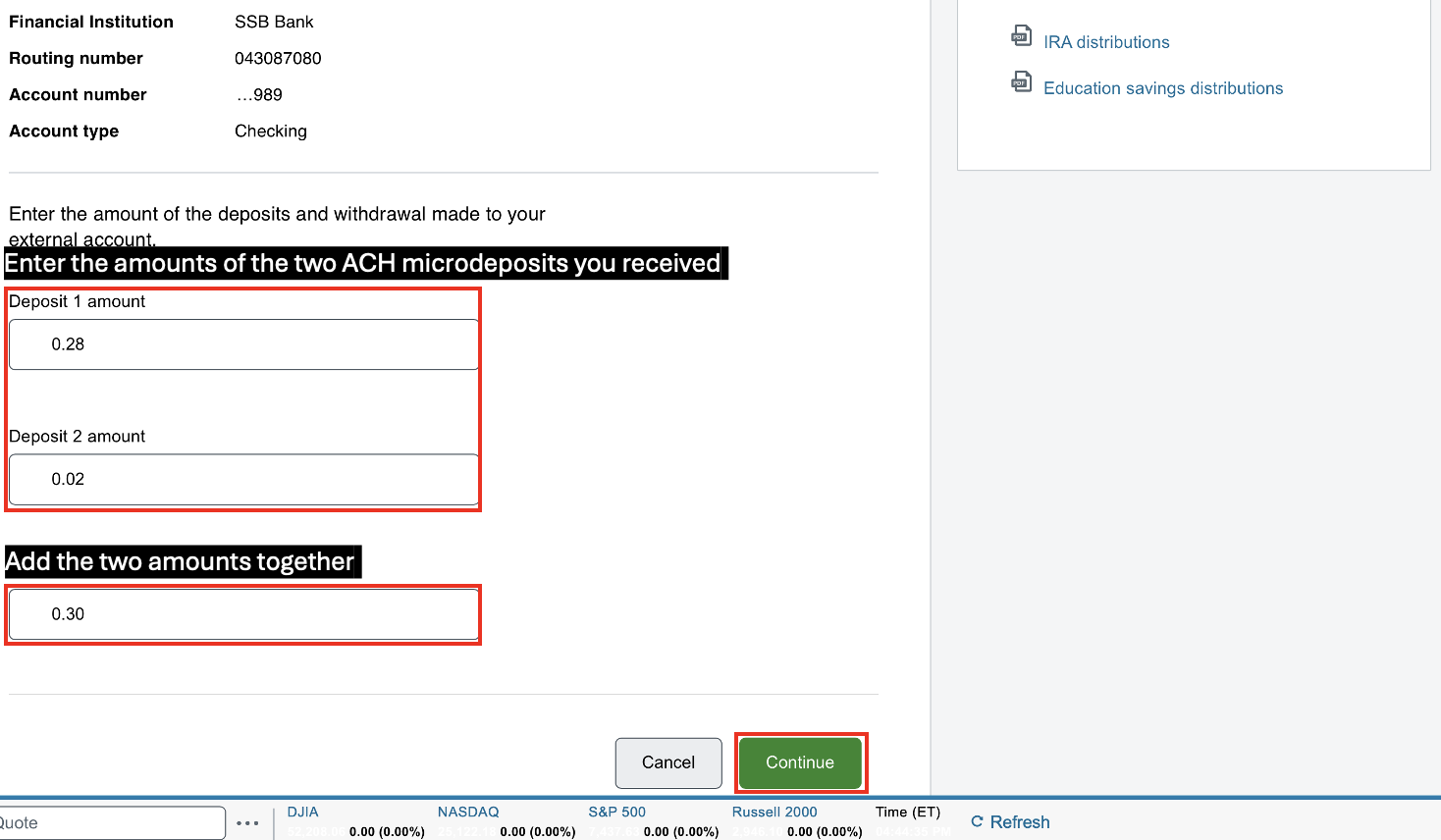
Record the amounts of the two ACH micro-deposits received, then navigate to the External Accounts page on Charles Schwab, select the account awaiting verification, and confirm the amounts to complete verification.
Step 5: Create a Withdrawal Transfer
After the account has been linked, go to:
Move Money → Transfer Funds
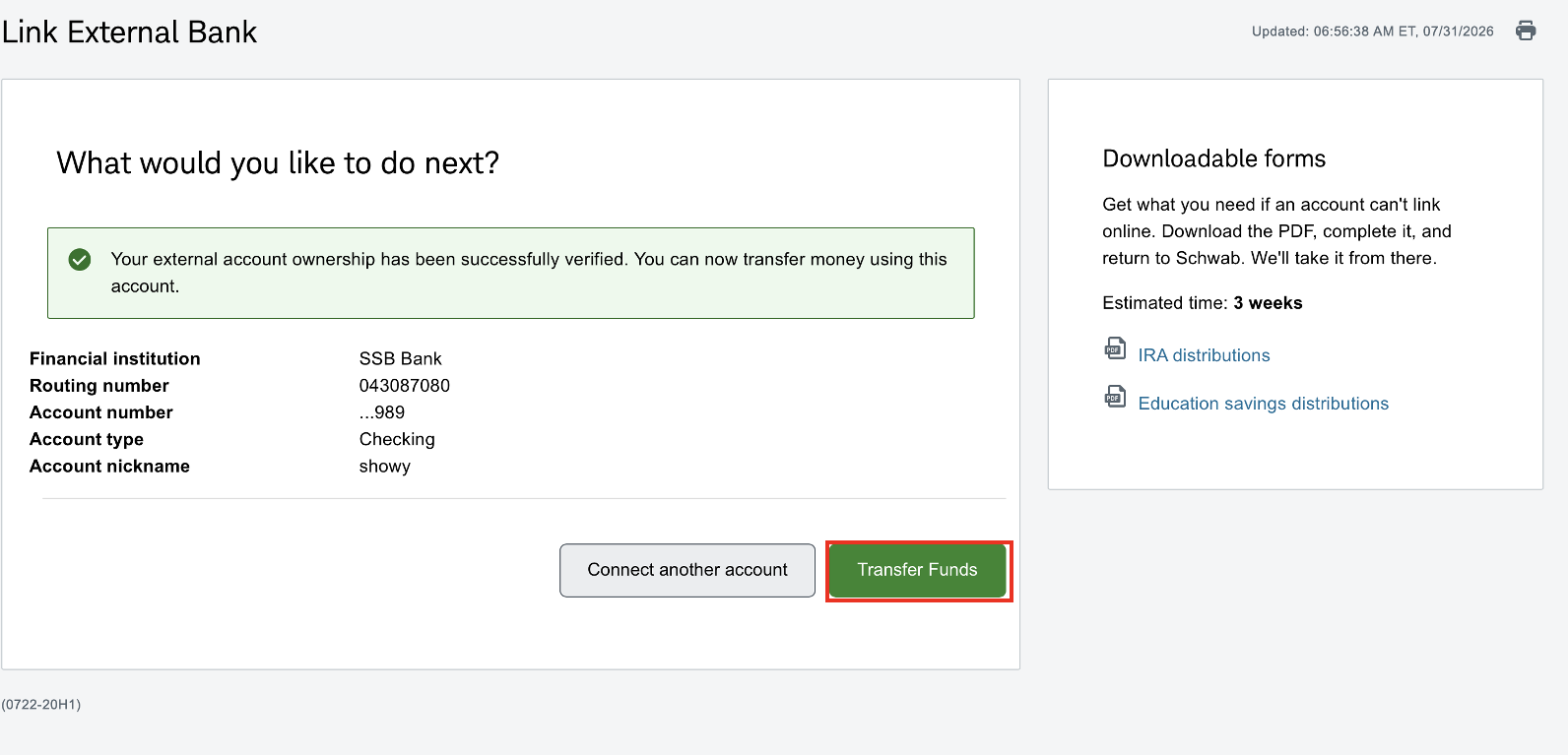
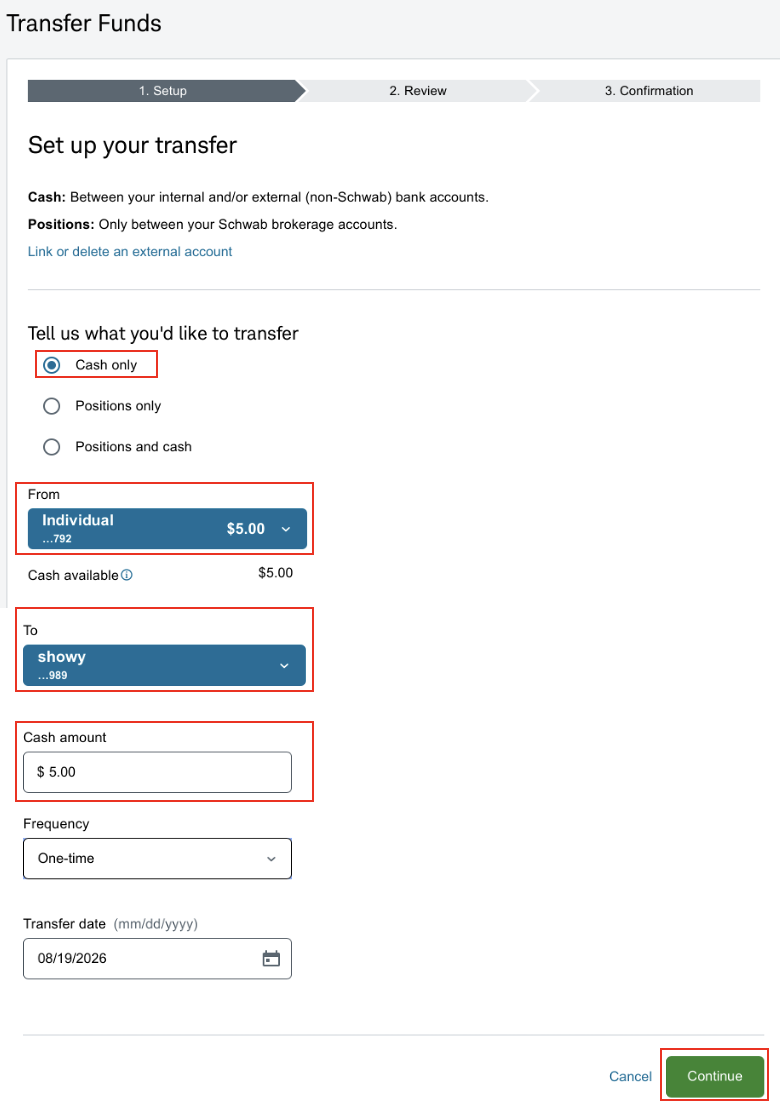
Select your Charles Schwab brokerage account as the "From account", and select your linked Fluidkey Bank account as the "To account." Then enter the amount you would like to transfer out.
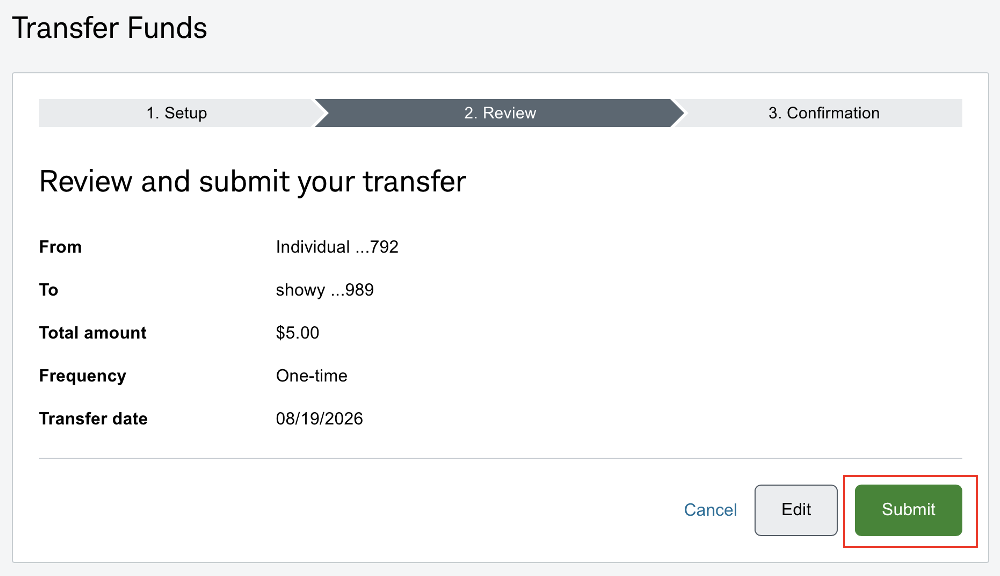
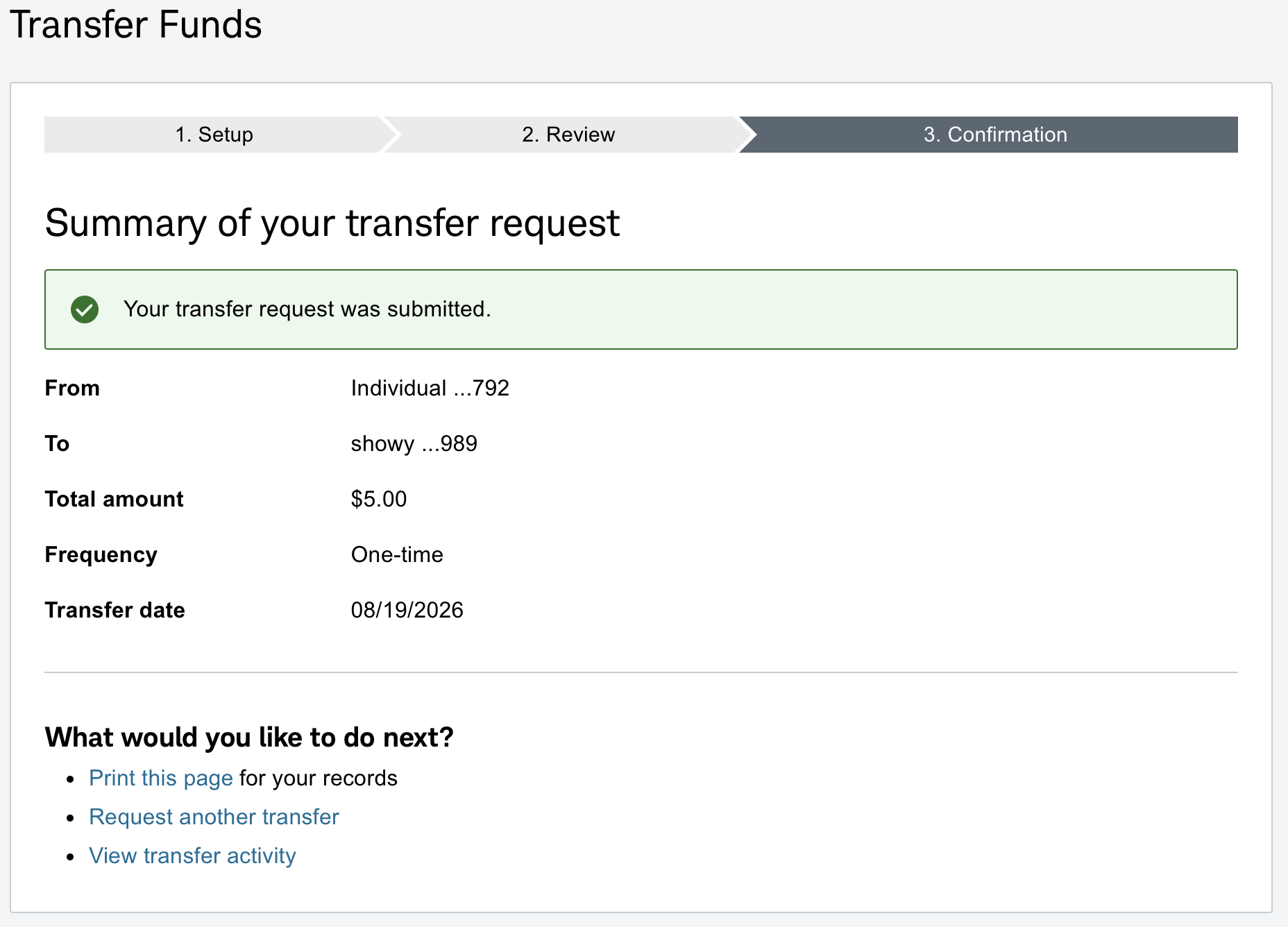
Step 6: Wait for the Funds to Arrive
After submitting the request, please wait for the ACH transfer to complete.
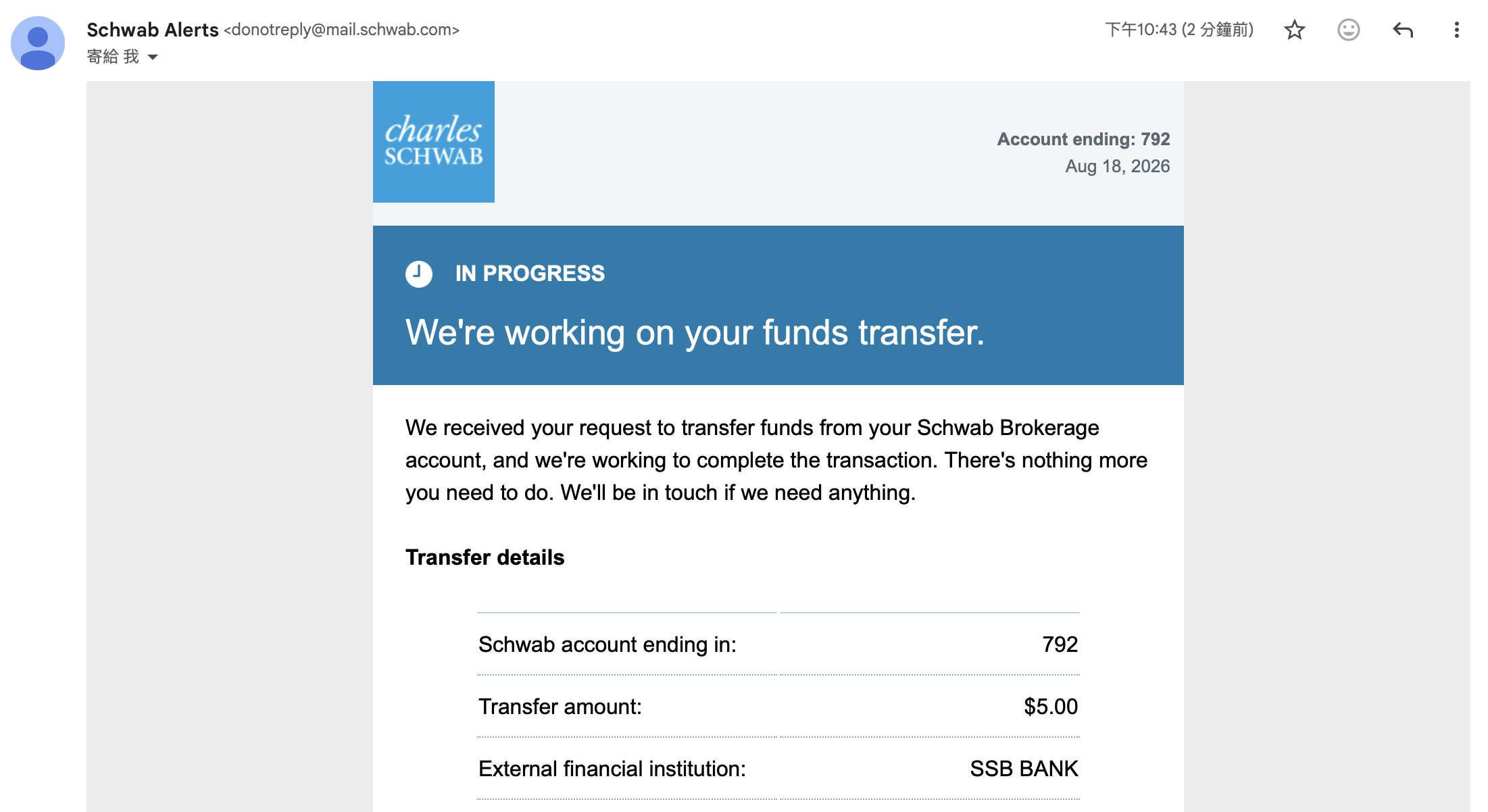
Once the funds arrive in your Bank account, Fluidkey will process the incoming deposit. After it is completed, you will be able to see the funds in your Fluidkey transaction history.
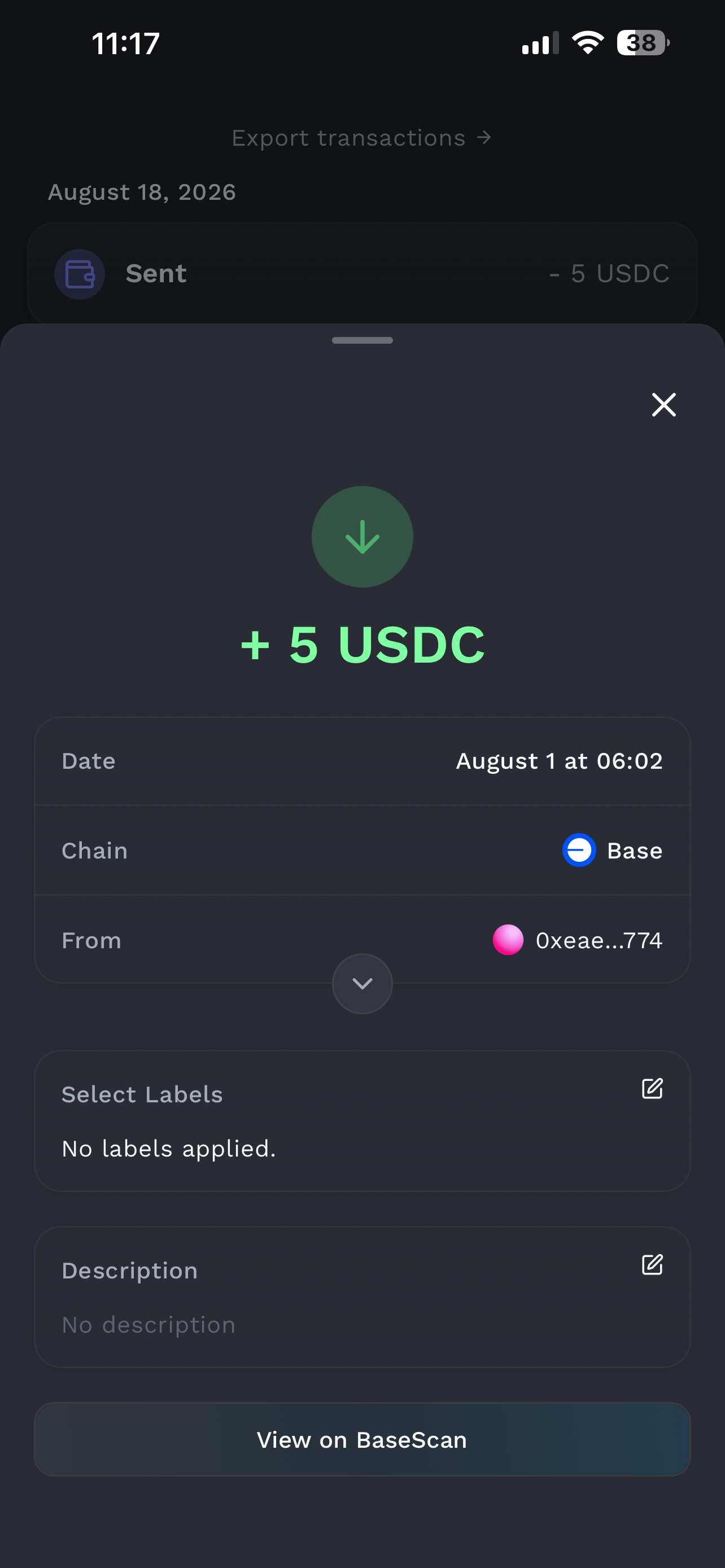
After submitting the withdrawal request, the funds usually arrive within 1–3 business days. The actual timing may vary depending on the bank's processing time.
Disclaimer
The content of this article is provided solely for the purpose of sharing technical and product information, and does not constitute investment, financial, tax, or legal advice. Cross-border fund transfers are subject to the financial regulations, foreign exchange controls, and tax reporting requirements of the relevant jurisdictions. Users are responsible for verifying the applicable rules based on their own location and circumstances, and for bearing any associated risks. Any operations described herein are for illustrative purposes only; please evaluate carefully and consult a qualified professional before use where appropriate.